Logodochost
  • Início
  • Explorar
  • Preços
  • Sobre
  • FAQ
Telegram
Logodochost

Paste AI-made Markdown or HTML. Send a clean link your coworker can open.

Começar grátis
Product
  • Telegram Bot
  • Browser Extension
  • Integrations
  • Features
  • Pricing
  • MCP server
  • FAQ
Resources
  • Blog
Use cases
  • PDF to Markdown
  • Word to Markdown
  • Markdown to Word
  • CSV to Markdown
  • Markdown to Google Docs
  • Markdown to Excel
  • Markdown to HTML
  • HTML to Markdown
  • URL to Markdown
  • Markdown Preview
  • Free HTML Hosting
  • Share ChatGPT HTML
  • All tools
Company
  • About
  • Contact
  • Changelog
Legal
  • Cookie Policy
  • Privacy Policy
  • Terms of Service
© 2026 dochost All Rights Reserved.
Featured on Corey.ToolsFeatured on ToolDirsFazier badgeFeatured on Twelve ToolsFeatured on Twelve ToolsFeatured on Wired BusinessFeatured on Wired Business

Free Telegram publisher

Publish Markdown and HTML from Telegram.

Send text or a file. @dochost_bot returns a clean web page you can share anywhere.

Open @dochost_botSee the real test
Chat
Private only
File size by plan
Free 1 MB / Pro 10 MB / Max 20 MB
Page lifetime
Free 7 days / paid permanent
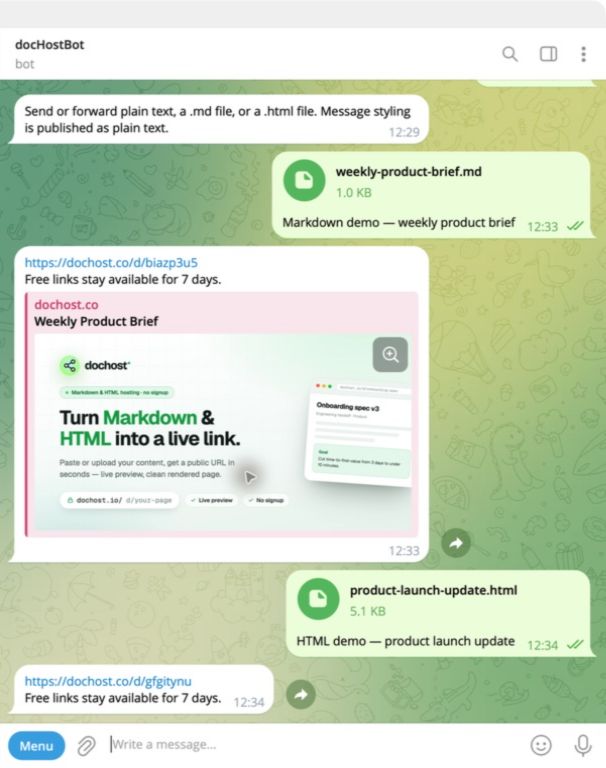
@dochost_botProduction conversation
Real English Telegram conversation showing Markdown and HTML files published by @dochost_bot
Captured from the production bot on August 2, 2026.
Plain text Markdown files HTML files Forwarded messages

One upload. One finished page.

These screenshots come from a real production interaction, not a designed chat mockup.
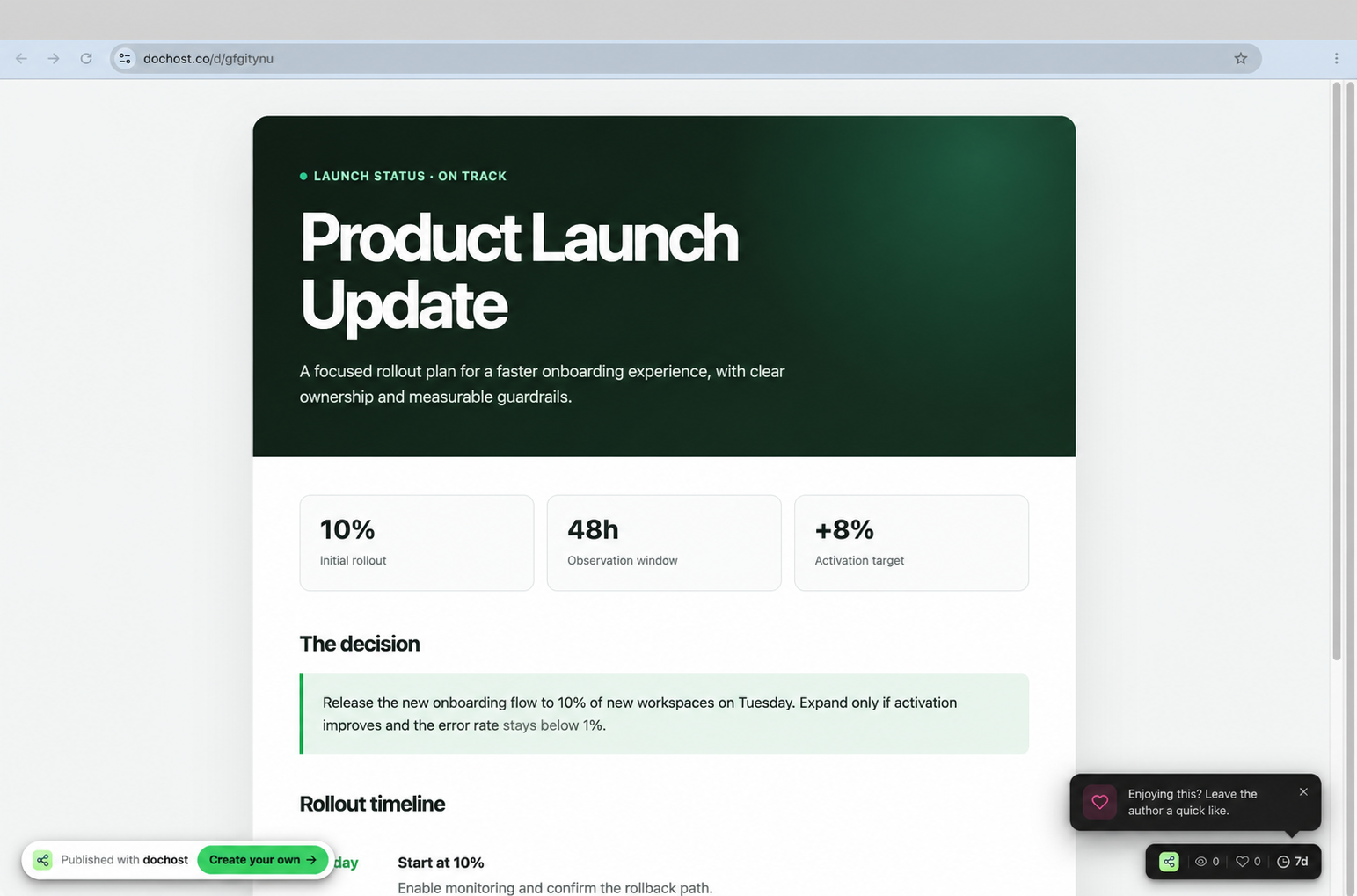
A live Product Launch Update HTML page published by @dochost_bot and opened on dochost
Live HTML resultThe uploaded layout opens directly at its dochost URL.

Both supported files were tested

We sent one English Markdown file and one English HTML file to the live bot.

The bot returned two real links

Each reply included a public dochost URL and the 7-day free lifetime.

Open Markdown result Open HTML result

From chat to link in one exchange.

The publishing flow stays where the content already is.

  1. Send or forward

    Paste text or attach a UTF-8 Markdown or HTML file in a private chat.

  2. dochost publishes

    The bot detects the format and safely creates the page.

  3. Anyone opens the link

    The recipient needs only a browser. A Telegram account is not required.

Choose the publishing path that fits.

Telegram is fastest on a phone. The web, extension, and MCP paths stay available for other workflows.

Preview Markdown online

Check the rendered document in your browser before publishing it.

Host HTML from the web

Upload an HTML file directly when you are already at your computer.

Share ChatGPT HTML

Turn a generated HTML answer into a real page for a client or teammate.

Publish from ChatGPT and Claude

Use the browser extension when your content starts inside an AI chat.

Publish through MCP

Give an AI assistant a secure publishing tool with account access.

Before you message the bot.

The practical details for the first publish.

What can I send to @dochost_bot?

Send or forward plain text, or attach a UTF-8 .md or .html file. Telegram file limits are Free 1 MB / Pro 10 MB / Max 20 MB. Max web uploads remain 50 MB.

Do I need a dochost account?

No. You can publish on the Free plan without sign-up. Use /link to connect an account and apply your Pro or Max benefits.

How long does the page stay online?

Unlinked and Free pages stay online for 7 days. Pages published from a linked Pro or Max account stay online permanently.

Can I add the bot to a group or channel?

Not currently. Publishing works in a private chat so the input and the result stay predictable.

Does Telegram formatting become Markdown?

A message is published as plain text. Attach a .md file when you want headings, tables, links, code, and other Markdown formatting.

Your next message can be a web page.

Open the bot, send something useful, and share its link.

Open @dochost_bot