dochost Free Plan Limits Explained: 10 Live Pages, 1 MB Each, and What to Do When You Hit Them
The free plan allows 10 live pages of up to 1 MB. Here is exactly what each limit counts, what the two notices look like, how to free a slot or shrink a page without paying, and what Pro and Max raise the numbers to.
Two things can stop a free publish: you already have 10 live pages, or the page you are pasting is larger than 1 MB. Both show a notice under the Get my link button and leave your draft in place, so nothing is lost — but the notices are short, and people often read them as "dochost is broken". This guide explains what each limit actually counts and every way around it, paid and unpaid.
The numbers
| Free (with or without an account) | Pro | Max | |
|---|---|---|---|
| Live pages at once | 10 | 200 | Unlimited |
| Size per page | 1 MB | 10 MB | 50 MB |
| Page lifetime | 7 days (3 if Private) | Permanent | Permanent |
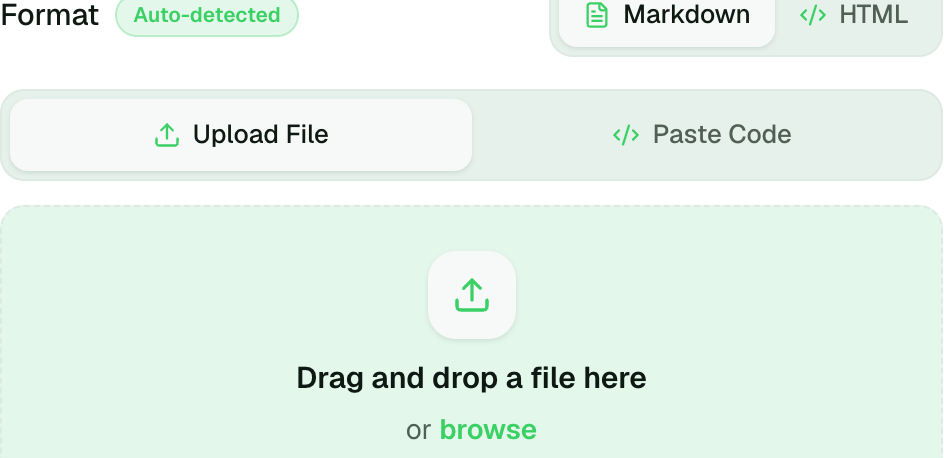
The upload panel states both free caps up front: Supports .md and .html, up to 50 MB · 1 MB on Free.
Limit 1 — 10 live pages
When the eleventh publish is attempted, the panel shows this:
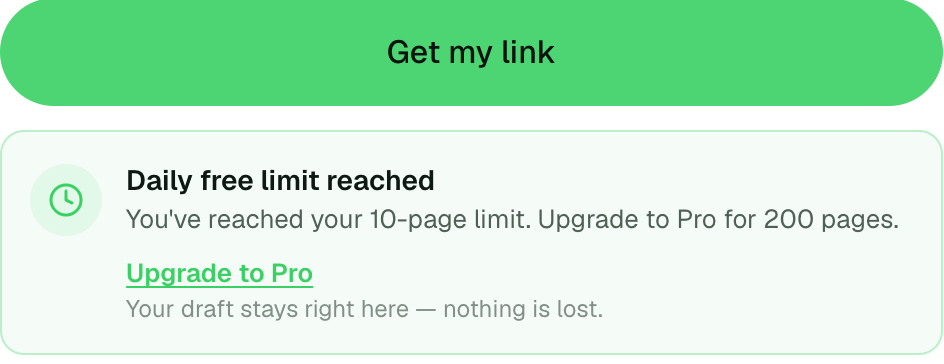
What it counts, precisely:
- Live pages only. A page that has expired, or that you deleted, no longer counts. Free pages expire after 7 days, so the count naturally falls over time — most free users never see this notice.
- Per identity. Signed in, the count is your account's live pages. Not signed in, it is the pages published from this browser (dochost remembers you with a cookie). Pages you claimed after signing in move to the account's count.
- Not per day. The limit is a ceiling on how many pages are online at once, not a daily allowance. Publishing ten pages on Monday and none since still leaves you at ten until some expire.
Ways to get a slot back without paying:
- Delete a page you no longer need. Open the dashboard, click the page, scroll to Danger zone → Delete page. The slot frees immediately. Without an account, sign in from the same browser first so the pages appear in your dashboard.
- Wait for one to expire. The dashboard's Time left column shows which page expires next.
- Update instead of re-publishing. If the new page is really a new version of an old one, use the old page's edit link or its dashboard editor. That keeps one slot and one link instead of two.
Pro raises the ceiling to 200 pages and makes them permanent, so the count only ever goes down when you delete something. Max has no ceiling.
Limit 2 — 1 MB per page
Paste or upload something larger than 1 MB on the free plan and you get a different notice:
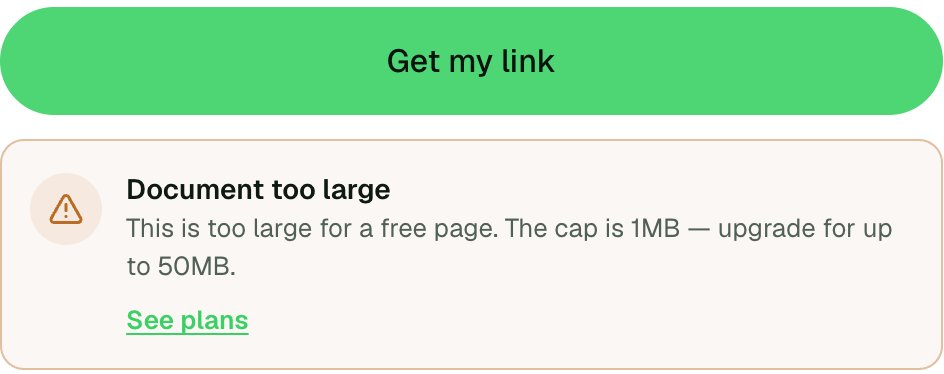
One megabyte is a lot of text — roughly 150,000 words of Markdown — so a page that hits this cap is almost never large because of its words. It is large because of one of these:
- Images embedded as base64. AI tools and "save as single file" exports inline every image as a
data:URL, and a single screenshot can be 300 KB–1 MB on its own. Host the images elsewhere (any image host, a public bucket, or a permanent dochost page on Pro) and reference them with<img src="https://…">. Or convert them to JPEG at a sensible width before embedding. - Bundled libraries. A page that pastes an entire charting or CSS framework inline instead of loading it from a CDN. Published pages can load scripts from any
https://URL, so<script src="https://cdn.jsdelivr.net/…">works and costs nothing against the cap. - Embedded fonts. Same fix: link to the font instead of inlining it.
- Generated data. A dashboard with its whole dataset inline. Trim to what the page shows, or fetch it at runtime — see collecting and fetching data from a published page.
To see what is taking the space, open the file in a text editor and search for data:image and <style> blocks; the culprit is usually obvious. On Pro the cap is 10 MB, which covers most single-file exports with a few screenshots; Max's 50 MB is for genuinely heavy interactive pages.
Limits that are not on this list
- Views are unlimited on every plan, including free. A free page that goes viral is not throttled or taken down for traffic.
- Formats are unlimited: Markdown and HTML, any number of each.
- Likes are unlimited, and on a free page they are useful — 30 likes add 30 days to its life. See How Explore and Likes Work.
- Publishing from an AI assistant (the MCP server, the Chrome extension, the Telegram bot) counts against the same page and size limits as the website. There is no separate quota per channel.
When something else is stopping the publish
If the notice is red and mentions a safety check rather than a limit, the page was blocked for its content, not its size. Why a page can't be published covers that case, and the Pending state that HTML pages can briefly sit in after publishing.
More Posts
How to Unpublish a Claude Artifact — and Why You Only Get One Shot
Unpublishing a Claude artifact takes seconds, but it's a one-way door — that artifact can't be republished and its data is deleted. Here's the process and what to do before you click.

How to Get a Published dochost Page Indexed by Google
Published pages are noindex by default. Flip one switch on the manage screen and a permanent, public page becomes indexable, joins the sitemap, and can rank under its own title. Here are the five conditions, why free pages are excluded, and how to check the result.
How to Publish a Claude or ChatGPT Page in One Click With the Chrome Extension
The dochost extension adds a Publish button next to the HTML and Markdown your AI writes — including Claude's file cards. Here is the full flow, recorded in a real Claude chat, and what each option in the panel does.
Newsletter
Join the community
Subscribe to our newsletter for the latest news and updates