How to Collect Form Responses From a Published dochost Page
A third of the HTML pages on dochost have an input box, and most of them send the answer nowhere. Here is the pattern that works — a fetch() to any endpoint that accepts JSON — with a live demo and drop-in code for Formspree, Supabase and Google Sheets.
Ask an AI for a sign-up page, a quiz, a feedback form, and you get a page with inputs and a Send button that does nothing when clicked — or worse, reloads the page and loses the answer. dochost hosts the page; it does not store form data. But a published page can run JavaScript and talk to the internet, so the fix is one function and an endpoint. This guide shows the pattern working on a real published page, then gives you three endpoints to plug in.
What a published page can and cannot do
Two rules shape everything below:
- A plain
<form action="https://…">submit is blocked. The page is served withform-action 'none', which stops the no-JavaScript way of posting a form to another site. That is deliberate — it is what kills the simplest phishing page — and it means a form must be sent by script. fetch()to any URL is allowed. The document has an openconnect-src, so JavaScript on the page can POST to any endpoint that accepts cross-origin requests.
So the recipe is: intercept the submit, prevent the default, send the fields with fetch, and show the result on the page.
The pattern
This is the complete form from the demo page below. The only line you will change is the URL.
<form id="f">
  <input name="name" placeholder="Your name" required>
  <textarea name="note" placeholder="A note" required></textarea>
  <button type="submit">Send</button> <span id="fs"></span>
</form>
<script>
document.getElementById('f').addEventListener('submit', async function (e) {
  e.preventDefault();                                  // stop the blocked native submit
  var status = document.getElementById('fs');
  status.textContent = 'sending…';
  var data = Object.fromEntries(new FormData(e.target));
  try {
    var r = await fetch('https://httpbin.org/post', {   // ← your endpoint
      method: 'POST',
      headers: { 'Content-Type': 'application/json' },
      body: JSON.stringify(data)
    });
    var j = await r.json();
    status.textContent = 'server received: ' + JSON.stringify(j.json);
    e.target.reset();
  } catch (err) {
    status.textContent = 'failed: ' + err.message;
  }
});
</script>
Published as-is, the form sends to httpbin, a public echo service, and prints back what the server received. That is the whole loop, running on a dochost page:
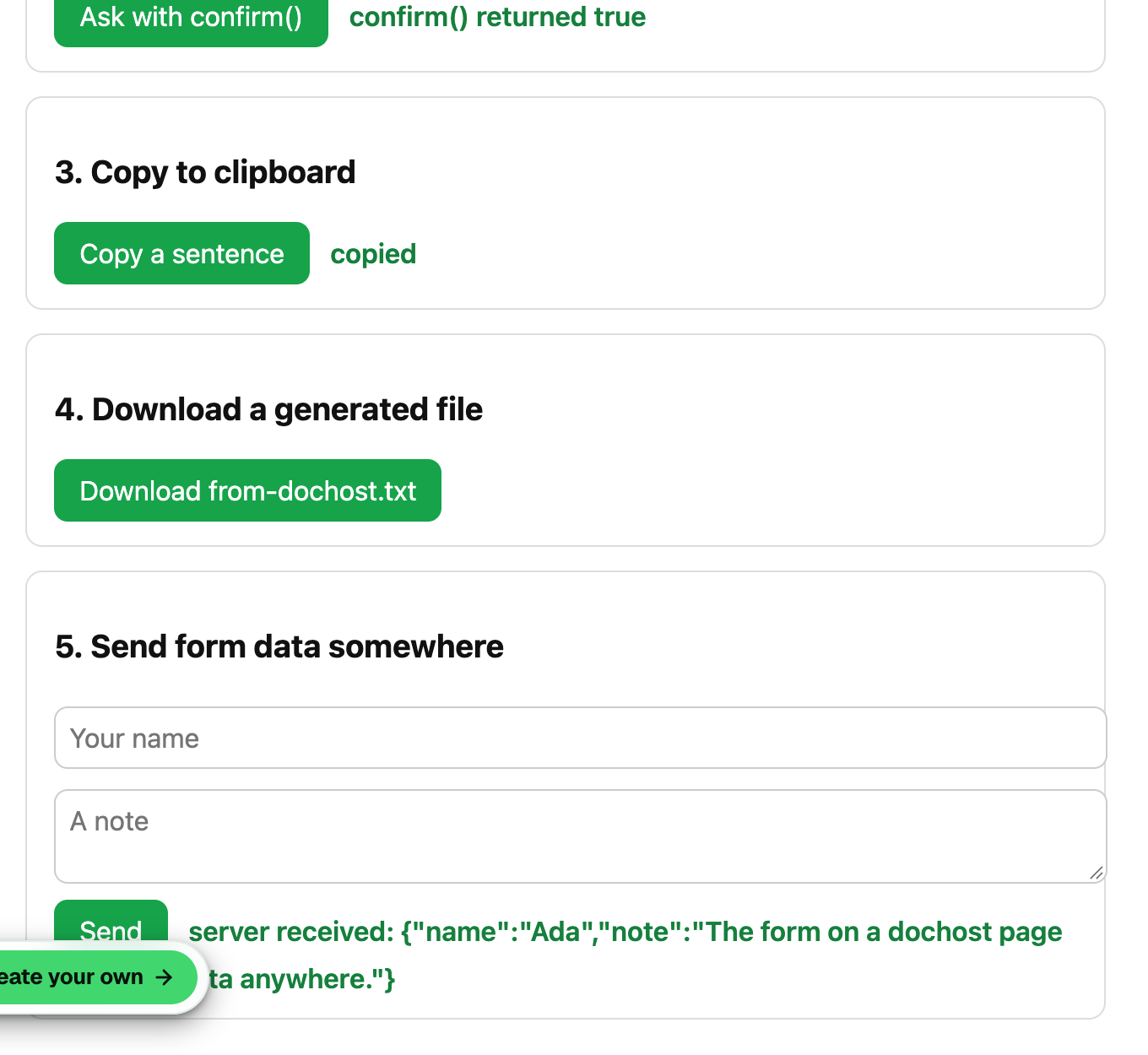
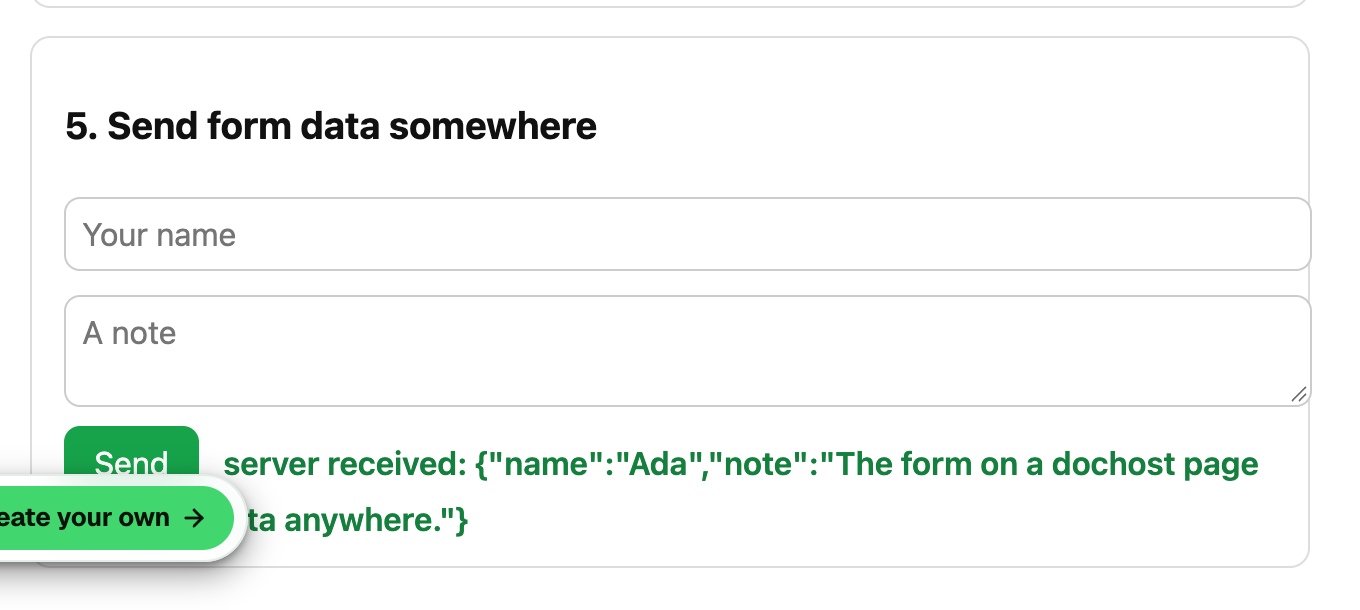
httpbin only echoes; it keeps nothing. Swap the URL for one of the endpoints below and the same page starts collecting.
Endpoint 1 — Formspree (answers land in your inbox)
Create a form at formspree.io; it gives you a URL like https://formspree.io/f/abcdwxyz. Formspree accepts JSON with an Accept: application/json header:
var r = await fetch('https://formspree.io/f/abcdwxyz', {
  method: 'POST',
  headers: { 'Content-Type': 'application/json', 'Accept': 'application/json' },
  body: JSON.stringify(data)
});
if (!r.ok) throw new Error('Formspree said ' + r.status);
status.textContent = 'Thanks — sent.';
Each submission is emailed to you and listed in the Formspree dashboard. The free tier covers a small form; nothing else changes on the page.
Endpoint 2 — Supabase (answers land in a table you can query)
This is what the busiest interactive pages on dochost already use. In a Supabase project:
- Create a table, for example
responseswith columnsid(uuid, default),name(text),note(text),created_at(timestamptz, defaultnow()). - Enable Row Level Security and add one policy: INSERT for role
anon,WITH CHECK (true). Do not add a SELECT policy foranon— then the page can add rows but never read them. - Copy the project URL and the
anonkey from Project Settings → API.
var r = await fetch('https://YOUR-PROJECT.supabase.co/rest/v1/responses', {
  method: 'POST',
  headers: {
    'Content-Type': 'application/json',
    'apikey': 'YOUR_ANON_KEY',
    'Authorization': 'Bearer YOUR_ANON_KEY',
    'Prefer': 'return=minimal'
  },
  body: JSON.stringify(data)
});
if (!r.ok) throw new Error('Supabase said ' + r.status);
The anon key is designed to be public — it is in every Supabase web app's source — and RLS is what limits it to inserts. Read the responses in the Supabase table editor or with any SQL client.
Endpoint 3 — Google Sheets (via Apps Script)
In a Google Sheet: Extensions → Apps Script, paste a doPost that appends JSON.parse(e.postData.contents) as a row, deploy as a web app with access set to Anyone, and use the deployment URL. Send with Content-Type: text/plain rather than JSON to avoid a preflight request Apps Script cannot answer:
await fetch('https://script.google.com/macros/s/DEPLOYMENT_ID/exec', {
  method: 'POST',
  headers: { 'Content-Type': 'text/plain' },
  body: JSON.stringify(data)
});
status.textContent = 'Thanks — sent.';
Apps Script returns an opaque redirect, so you cannot read a response; treat "no error" as success.
Things to keep straight
- The endpoint must allow cross-origin requests. Formspree, Supabase and Apps Script all do. Your own API needs
Access-Control-Allow-Originforhttps://sandbox--*.dochost.co(or*). - Never put a secret in the page. Anyone can view the source. Supabase's anon key and Formspree's form id are safe because the server limits what they can do; a service-role key or a Sheets API key is not.
- Validate on the server, not only in the browser.
requiredgives readers a nice bubble; it does not stop a script from posting garbage. - Password-protect the page if the form itself is for a closed group; the password gate stops strangers before the form loads. See How to Password-Protect a Page.
- Readers' answers are not visible on dochost. The page is the front door; the data lives wherever you sent it. dochost's analytics count views and likes, not submissions.
If the form does nothing at all when clicked — no "sending…", no error — the problem is usually the script, not the endpoint. The JavaScript troubleshooting guide covers how to see errors on a published page.
More Posts
How to Embed HTML in SharePoint: HTML Pages, the Embed Web Part, and People Outside Your Company
Two ways to put HTML on a SharePoint page in 2026, what each one can and cannot run, and what to do when the people who need the page cannot sign in to your SharePoint.

How Long a Free dochost Link Lasts, and How to Extend It
Free pages expire after 7 days. Here is where that countdown shows up — success panel, reader footer, dashboard — and the three ways to keep a page online: a one-time extension, a like milestone, or a plan that makes every link permanent.
Share Claude's Markdown as a Clean Page
Claude answers in well-structured Markdown, but pasted into email or Slack it falls apart. Here's how to send it as a readable page instead.
Newsletter
Join the community
Subscribe to our newsletter for the latest news and updates