How to Connect dochost to Claude, ChatGPT or Cursor With MCP
One URL — https://dochost.io/api/mcp — gives your AI assistant a publish tool. Here is the setup for each client, when you need an API key instead of OAuth, and how to create and rotate one.
dochost runs a hosted Model Context Protocol server. Once your assistant is connected, "publish this as a page" is a tool call: the assistant sends the Markdown or HTML, dochost returns a link, and you never open a browser tab. This guide covers the two ways to connect — OAuth for chat clients like Claude and ChatGPT, and an API key for headless agents and scripts — and where each setting lives.
The server URL is the same everywhere:
https://dochost.io/api/mcpWhich method do I need?
| You are using | Use | Why |
|---|---|---|
| Claude Code, Claude Desktop, ChatGPT, Cursor, VS Code, Codex, Windsurf | OAuth | The client opens a browser window, you approve once, nothing is pasted into a config |
| OpenClaw, Hermes, a cron job, your own script | API key | There is no browser to approve in, so the agent sends a key as a bearer token |
Both end up as the same account. Ownership, quota and Pro/Max entitlements come from the account, never from the tool call.
Connect with OAuth
Open dochost.io/mcp and pick your client at the top of the page. Each tab shows the one command or setting for that client, with a Copy button.
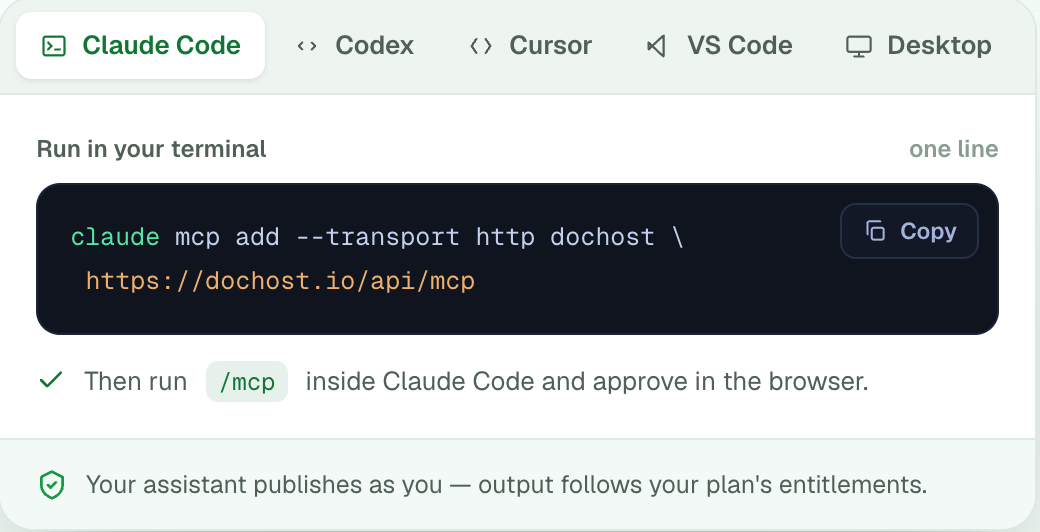
Claude Code is one line in the terminal, then /mcp inside Claude Code to approve in the browser. Add --scope user if you want it in every project rather than the current one.
claude mcp add --transport http dochost https://dochost.io/api/mcp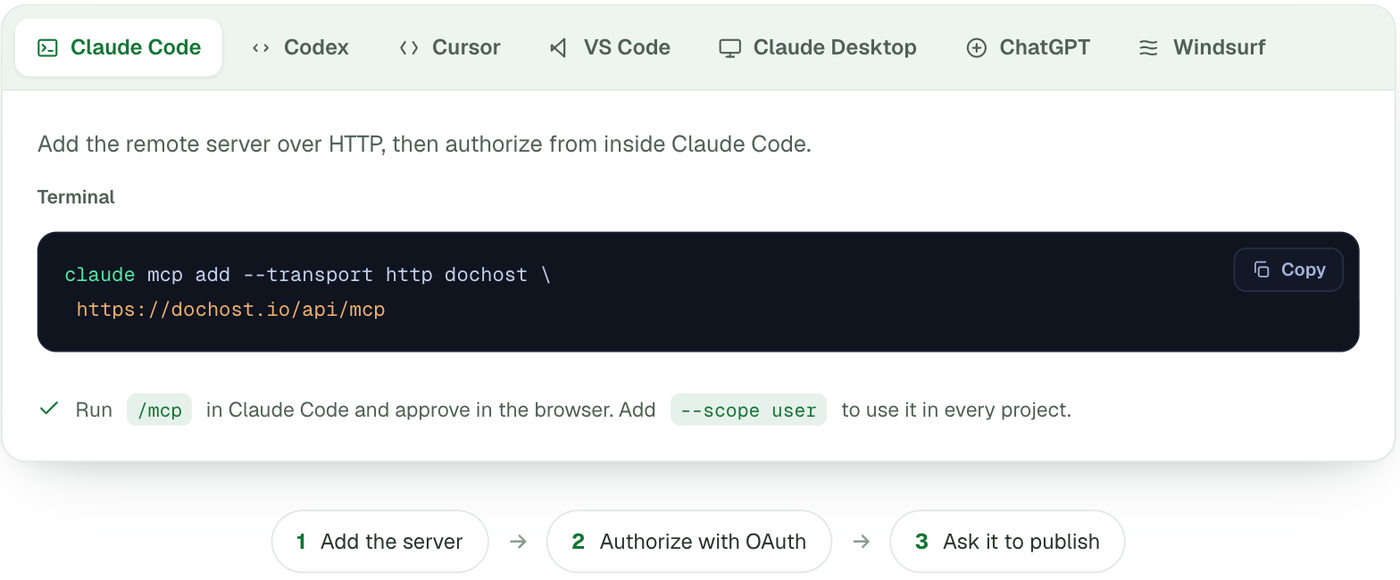
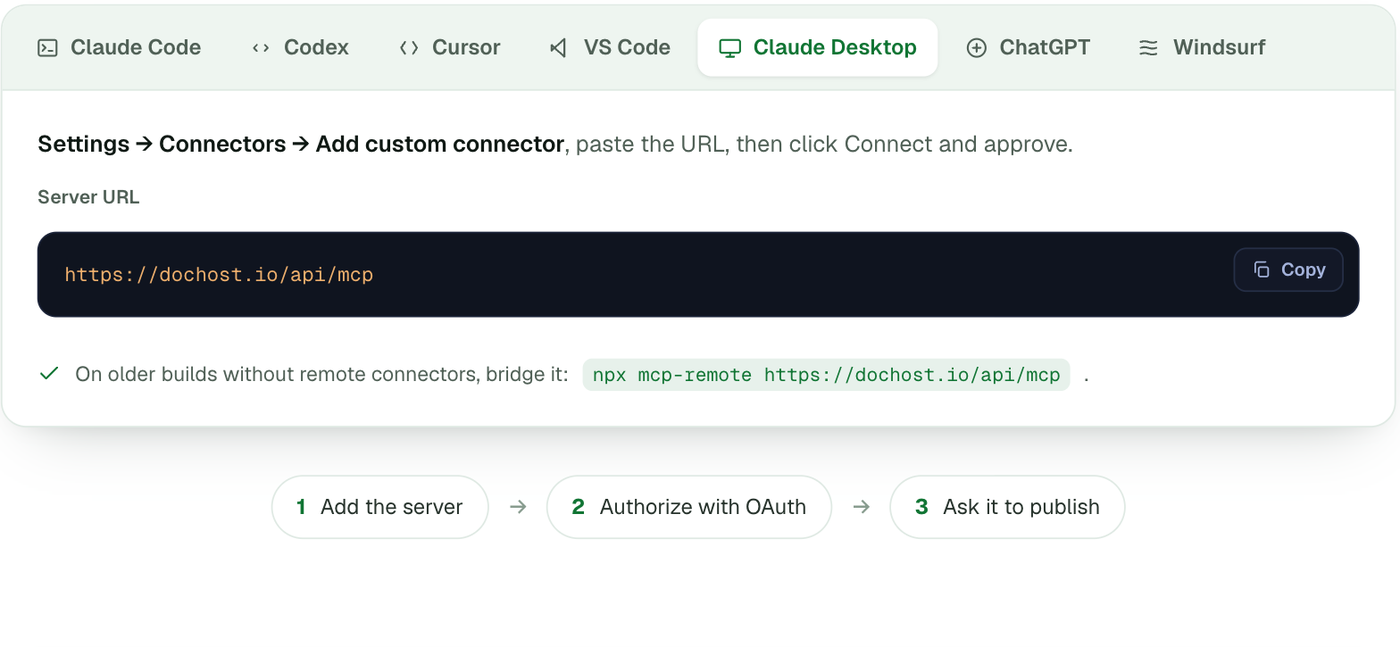
Claude Desktop: Settings → Connectors → Add custom connector, paste the URL, click Connect and approve. Older builds without remote connectors can bridge it with npx mcp-remote https://dochost.io/api/mcp.
ChatGPT: Settings → Connectors (developer mode), add a connector and paste the URL. This needs a ChatGPT plan where custom MCP connectors are enabled; you approve access on first use.
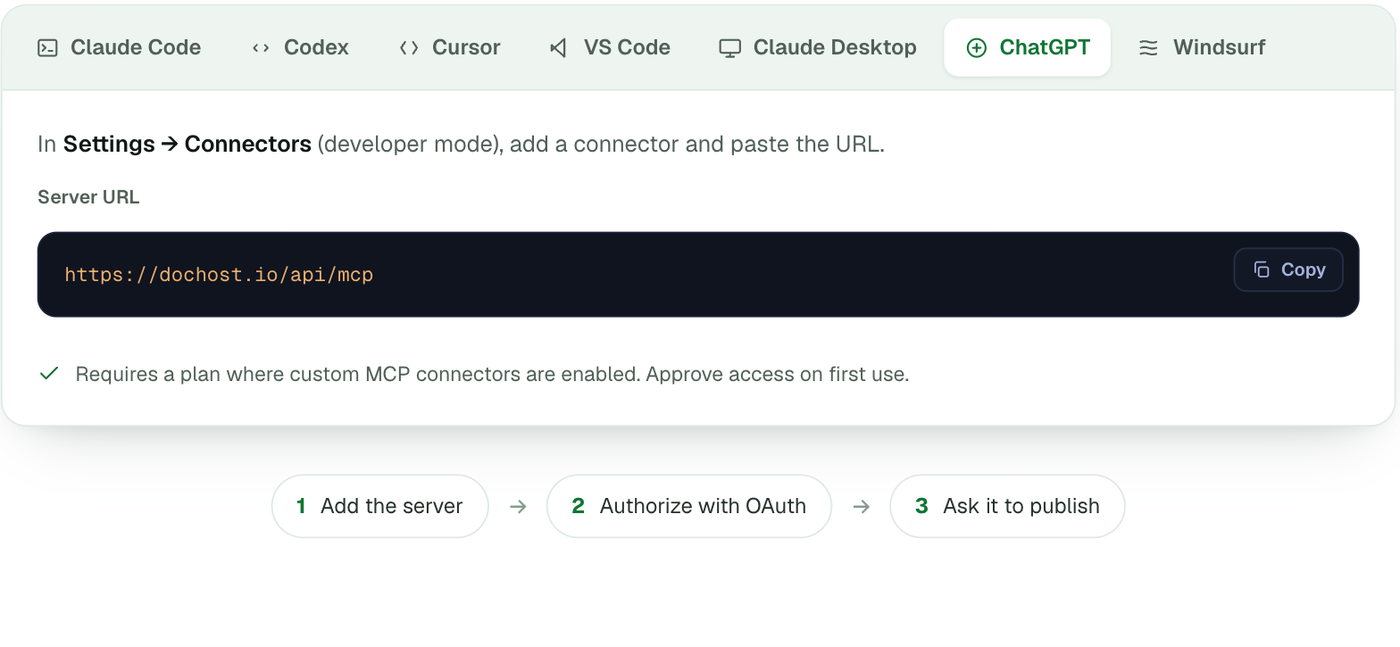
Cursor, VS Code, Codex and Windsurf each take a small JSON block with the same URL; the page has the exact snippet for each. Whichever client you use, the first tool call opens a dochost sign-in page — approve it and you are done.
Connect with an API key
Headless agents cannot click through an OAuth prompt, so they authenticate with a key. Keys are created in Settings → API keys.
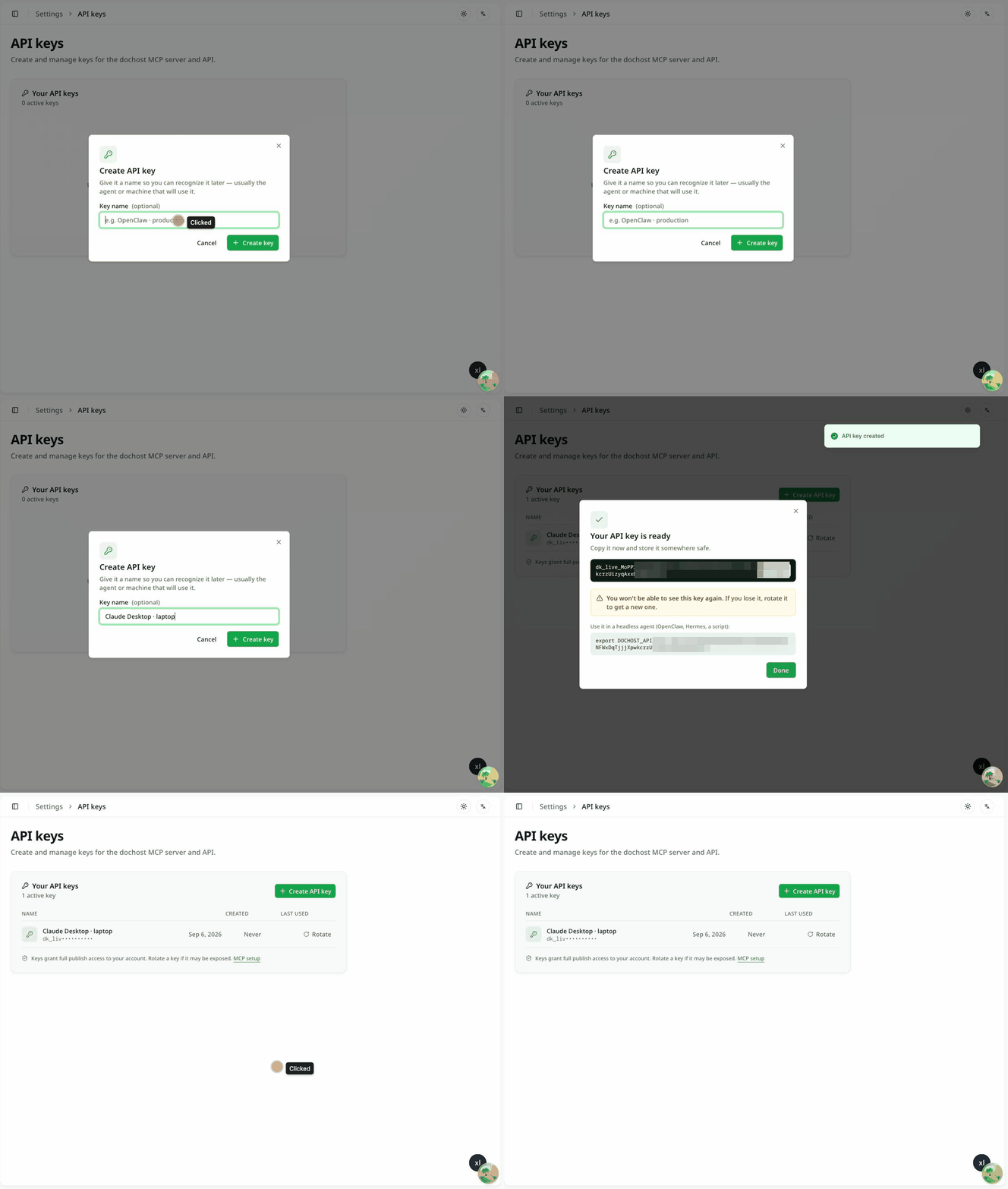
- Click Create API key. Give it a name you will recognise later — usually the agent or machine that will use it.
- Click Create key. The key is shown once, with a ready-made
export DOCHOST_API_KEY=…line. Copy it now. - Click Done. From here on the list shows only the prefix.
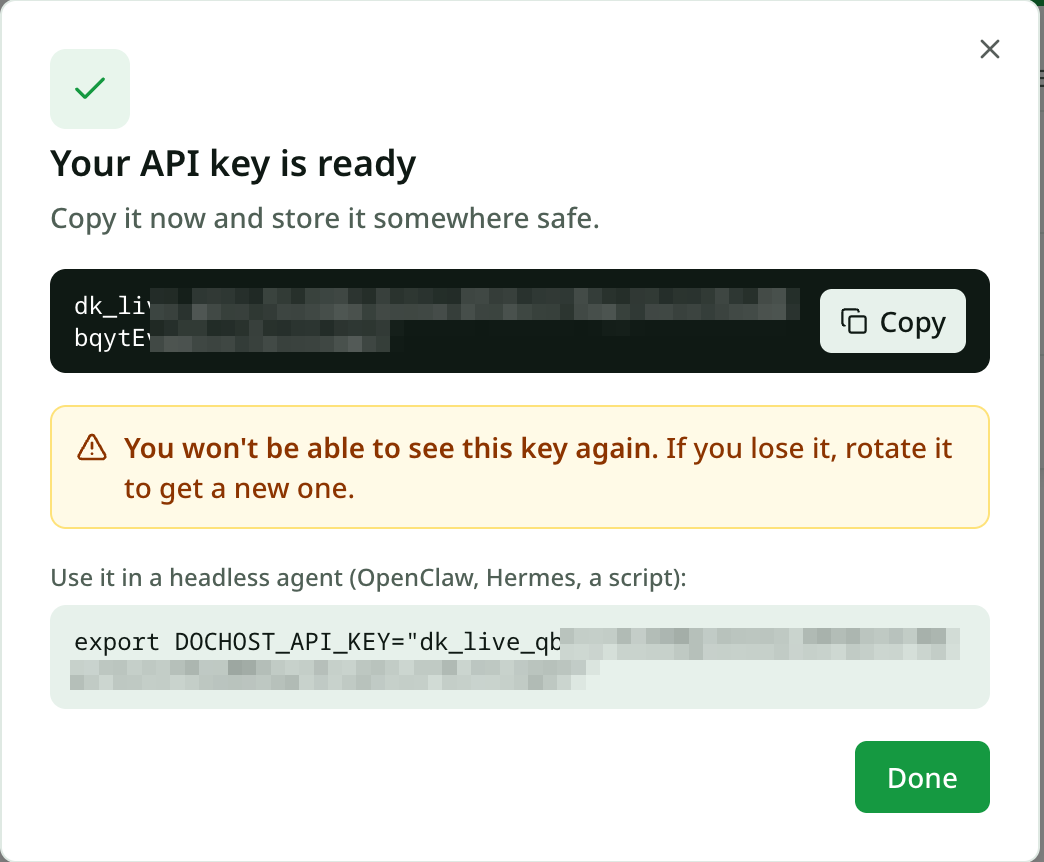
The agent sends the key as a bearer token on every request:
Authorization: Bearer dk_live_…For OpenClaw and Hermes the MCP page has a one-command skill install that reads DOCHOST_API_KEY from the environment, so the header is handled for you.
Rotating and revoking
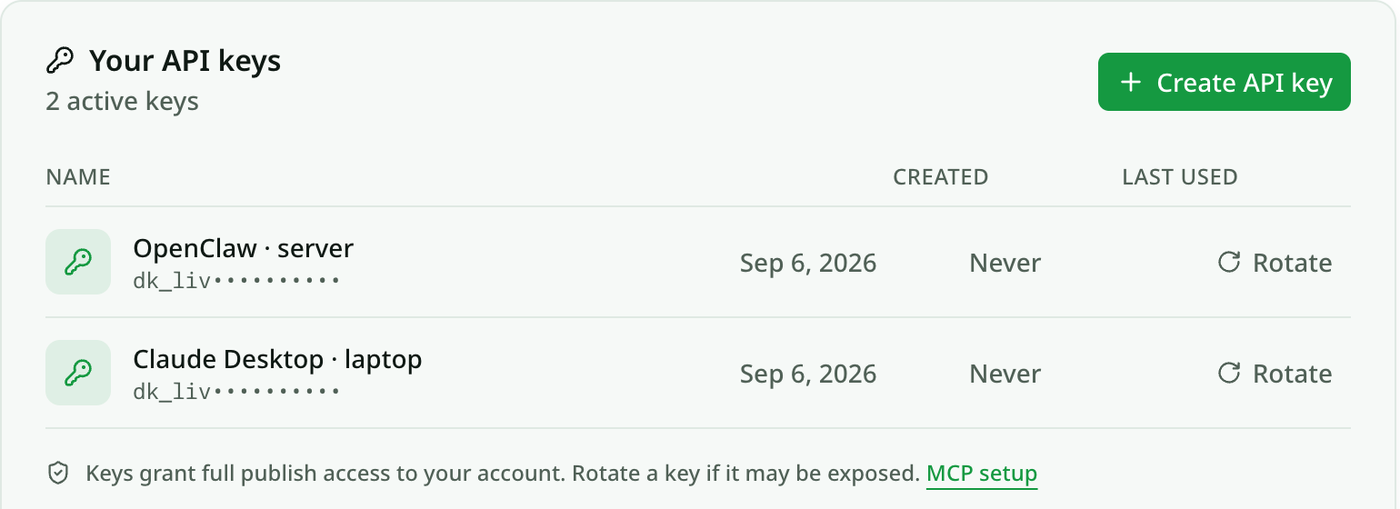
Keys grant full publish access to the account, so treat a leaked one like a leaked password. Rotate on the row generates a replacement and kills the old key immediately; update the agent's environment and it carries on. There is no separate delete — rotating and not using the new value has the same effect.
What the assistant can do once connected
Six tools: publish, list_my_pages, get_page, get_account, update_page and delete_page. Pages are unlisted unless the assistant is told to make them public, Pro options (customSlug, password, noBranding) are honoured on paid accounts, and calls are rate-limited to 20 publishes a minute and 300 an hour. Everything published this way shows up in the same dashboard as pages made on the website — same views, likes, expiry and analytics.
Free accounts get 7-day links here exactly as on the site; a plan makes them permanent (pricing).
More Posts
PDF to Markdown, Word to Markdown, and Six More Converters That Run in Your Browser
A set of free document converters that do the work locally in the browser — no upload, no signup — and hand the result straight to a shareable link if you want one.

How to Download a Claude Artifact (and What You Actually Get)
Claude's download button hands you a file — but which file depends on how the artifact was built, and a React artifact won't open in your browser. Here's what each type gives you and what to do with it.
GitHub Gist vs dochost for Sharing Rendered Markdown
Gist is great for code snippets, but it wraps your Markdown in GitHub chrome and won't render HTML at all — when a clean standalone page is the better send.
Newsletter
Join the community
Subscribe to our newsletter for the latest news and updates