Pastebin vs dochost: Raw Text vs a Rendered Page
When Pastebin's monospace raw text is the right call, and when you actually want your Markdown or HTML rendered as a real page at a shareable link.
Pastebin is the default reflex for "I need to put some text at a URL." It's been around since 2002, it works without an account, and everyone has clicked a pastebin.com link at some point. So when you have a Markdown document or an HTML page to share, it's tempting to paste it there and call it done.
Here's the problem: Pastebin shows text. Not a document — text. Paste Markdown and your reader sees ## headings and **bold** as literal characters. Paste HTML and they see the source code, tags and all. That's not a bug; it's the whole design. Pastebin is a raw-text bucket with syntax highlighting on top, and for some jobs that's exactly right.
dochost does the opposite: it renders. Paste Markdown, get a clean themed page. Paste HTML, get that page live — CSS and JavaScript running as written. Which one you want depends entirely on whether the person on the other end should read code or read a document.
What Pastebin actually does
You paste text into a box, optionally pick a syntax highlighting language (there are well over a hundred, from Python to Z80 assembler), pick an expiration, and hit "Create New Paste." You get a short link. The reader sees your text in monospace with line numbers, highlighted if you chose a language.
The details, as of this writing:
- Expiry options: Never, Burn After Read, 10 minutes, 1 hour, 1 day, 1 week, 2 weeks, 1 month, 6 months, or 1 year. You pick per paste, and "Never" is available even to guests — though non-PRO pastes can still be deleted for inactivity.
- Guest limits: no account needed, up to 10 pastes per 24 hours, 512 KB per paste. Guests can't edit or delete a paste after creating it, and can't make private pastes.
- Free account: 20 pastes per day, edit/delete your own pastes, plus a small allowance of private and unlisted pastes.
- PRO: removes ads, bumps the size limit to 10 MB, allows 250 pastes a day, unlimited private/unlisted pastes, and protects pastes from inactivity deletion. Notably, rendering Markdown as a formatted paste is itself a PRO feature.
- Ads: guest and free users see ads on paste pages. Your reader sees them too.
That last point matters more than people think. When you send a client or a hiring manager a Pastebin link, they get your content wrapped in banner ads and a comment box. Fine for a debug log between developers; less fine for a proposal.
What Pastebin is genuinely great at
Let's be honest about this, because it's most of Pastebin's traffic:
Logs and stack traces. Line numbers are a feature here, not decoration. "The error is on line 847" only works when both of you see line 847. Rendering would actively destroy this content — you want the raw bytes, monospace, exactly as they came out of the terminal.
Plain code snippets. A 40-line Python function with syntax highlighting is exactly what Pastebin was built for. Your reader wants to copy it, not admire the typography.
Config files. An nginx config, a YAML manifest, a .env template — raw text with highlighting is the correct presentation.
Huge text dumps. 512 KB free (10 MB on PRO) covers very large logs, and Pastebin's infrastructure has served this use case for two decades.
Burn-after-read sharing. The self-destructing paste is a genuinely useful primitive Pastebin offers that dochost doesn't.
If your content falls in these buckets, use Pastebin. It's the better tool, full stop.
Where it falls apart: documents
Now paste a README, a project proposal written in Markdown, or an HTML report into Pastebin and look at what your reader gets.
Markdown arrives as unrendered syntax. Every #, every |table|cell|, every ``` fence sits there as literal punctuation. A table your AI assistant carefully formatted becomes a wall of pipes. Task lists are just dashes and brackets. (Pastebin can render Markdown — but only if you pay for PRO, and even then it's a formatted paste inside Pastebin's chrome, not a standalone page.)
HTML is worse. Pastebin shows the source. Your styled report, your chart, your interactive quiz — the reader sees <div class="container"> with angle brackets highlighted in pretty colors. Nobody scrolling through 300 lines of markup experiences the page you made.
This is the core mismatch: Pastebin answers "how do I show someone this text?" Documents need a different question answered — "how do I show someone this page?"
What dochost does instead
Same motion — paste, click publish, get a short link — different output.
Paste Markdown and the link opens a rendered document: real headings, working tables, styled code blocks (with syntax highlighting inside them), task lists, even Mermaid diagrams and LaTeX math. You can preview the Markdown before publishing to check it looks right.
Paste HTML and the link opens the actual page. Inline CSS applies, JavaScript runs, CDN-loaded fonts and frameworks work. If the file renders in your browser locally, turning that HTML into a URL gives your reader the same thing — a dashboard behaves like a dashboard, not like a dashboard's source code.
No account is needed, same as Pastebin. Free links last 7 days (account or not), and paid plans make links permanent and add custom slugs, password protection, and branding removal. There are no ads on published pages at any tier.
One workflow note: a lot of documents worth sharing now come out of ChatGPT or Claude. There's a Chrome extension that adds a publish button directly inside both, so AI-generated Markdown or HTML goes from chat to shareable rendered link in one click — no copy-paste hop through any paste site.
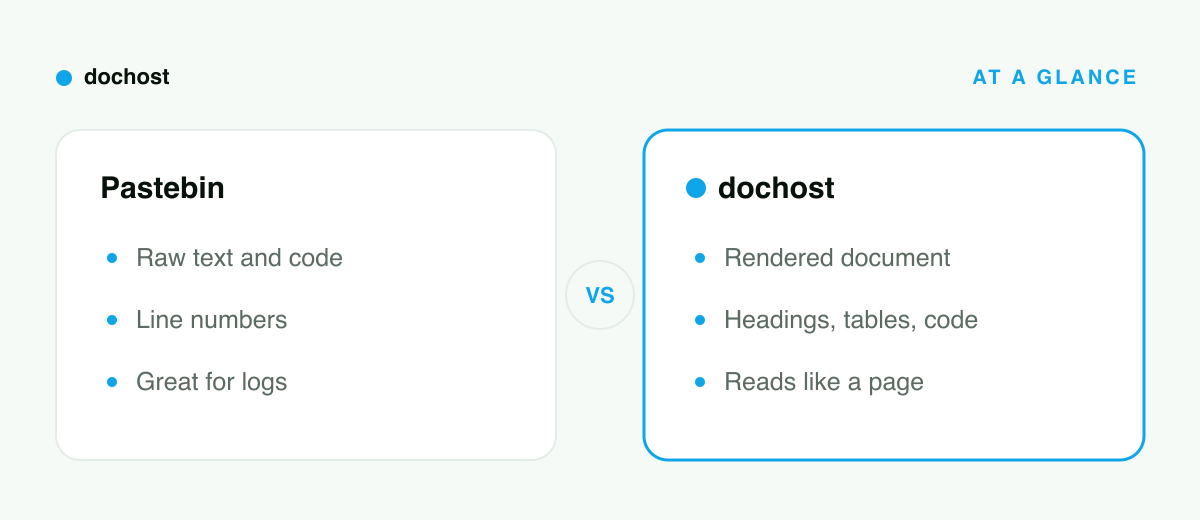
At a glance
| Pastebin | dochost | |
|---|---|---|
| Built for | Raw text: code, logs, configs | Documents: Markdown and HTML |
| What the reader sees | Monospace source with line numbers | The rendered page |
| Account required | No (10 pastes/day as guest) | No |
| Markdown | Shown as raw syntax (rendering is PRO-only) | Rendered page, free |
| HTML | Shown as source code | Runs live, CSS + JS included |
| Link lifespan | Per-paste: 10 min to never (inactivity deletion for non-PRO) | 7 days free, permanent on paid |
| Ads on the page | Yes, unless the author has PRO | No |
Choosing between them
Use Pastebin when the text is the content: stack traces, log excerpts, code snippets someone will copy, config files, anything where line numbers help and rendering would hurt. Also when you specifically want burn-after-read or a very short fuse like 10 minutes.
Use dochost when there's a document under the text: a report, a README, a proposal, an AI-generated writeup, an HTML page with styling or interactivity. Anything where the person on the other end should see formatting, not markup.
A decent rule of thumb: if you'd be annoyed that it rendered, use Pastebin. If you'd be annoyed that it didn't, use dochost.
Bottom line: Pastebin and dochost look similar — paste text, get a link — but they answer different questions. Pastebin publishes your text; dochost publishes your page. Send logs and code to Pastebin. When it's a document someone should actually read, paste it into dochost and send them the rendered thing.
More Posts

Claude Skills vs Projects vs Artifacts: What Each One Actually Is
Three Claude features with overlapping names and completely different jobs. Skills are procedures, Projects are context, Artifacts are output — here's how to tell which one you need.

How to Publish a ChatGPT HTML or Markdown Answer in One Click
When ChatGPT writes a page, the dochost Chrome extension puts a Publish button right under the code block. Here is the flow in a real ChatGPT chat — including the Public toggle and where the link ends up — and what to check when the button is missing.

How to Publish a Claude Artifact as a Standalone Webpage
Two ways to put a Claude artifact on a real URL — Claude's built-in Publish button, or pasting the code into dochost for a plain standalone link.
Newsletter
Join the community
Subscribe to our newsletter for the latest news and updates