How to Share Math Notes Online (With LaTeX Rendering)
Turn Markdown notes full of LaTeX equations into a clean, shareable web page — no Overleaf project, no PDF export, no screenshots of handwriting.
Anyone who tutors, TAs a course, or runs a study group hits the same wall every week: the notes are full of equations, and there's no good way to send them. A photo of handwritten work is blurry, unsearchable, and unreadable on a phone. Pasting raw LaTeX into a group chat is worse — the person on the other end sees \frac{-b \pm \sqrt{b^2 - 4ac}}{2a} and has to mentally compile it. And spinning up a full LaTeX document just to share three worked problems is a lot of ceremony.
There's a middle path: write the notes in Markdown with LaTeX math, paste them into a renderer, and share the link. The equations come out typeset, the text stays readable, and nobody installs anything.
The format: Markdown + LaTeX math
The convention is simple and worth memorizing, because almost every tool that renders math uses it:
$...$for inline math — an equation that sits inside a sentence, like the discriminant$b^2 - 4ac$.$$...$$for display math — an equation on its own line, centered, at full size.
Everything else is ordinary Markdown: ## for section headings, - for bullet lists, numbered lists for solution steps. This is also exactly what ChatGPT and Claude produce when you ask them to explain a math problem, so if your notes start life in an AI chat, they're already in the right format — copy them out as Markdown and they'll render as-is.
A real example: source vs. rendered
Here's a small chunk of tutoring notes the way you'd actually type them:
## Week 4: Quadratics and a first integral

For any quadratic $ax^2 + bx + c = 0$ with $a \neq 0$,
the roots are given by the quadratic formula:

$$x = \frac{-b \pm \sqrt{b^2 - 4ac}}{2a}$$

Check the discriminant $b^2 - 4ac$ first: positive means
two real roots, zero means one repeated root, negative
means complex roots.

**Warm-up for next week** — evaluate:

$$\int_0^1 x^2 \, dx = \left[\frac{x^3}{3}\right]_0^1 = \frac{1}{3}$$
As plain text in a chat window, that's noise. Rendered, it's a page with a proper heading, the quadratic formula typeset as a centered fraction with a real square-root radical, the discriminant sitting inline mid-sentence at text size, and the integral displayed with its bounds in the right places. The difference between the two is the difference between "notes someone will actually read" and "a wall of backslashes."
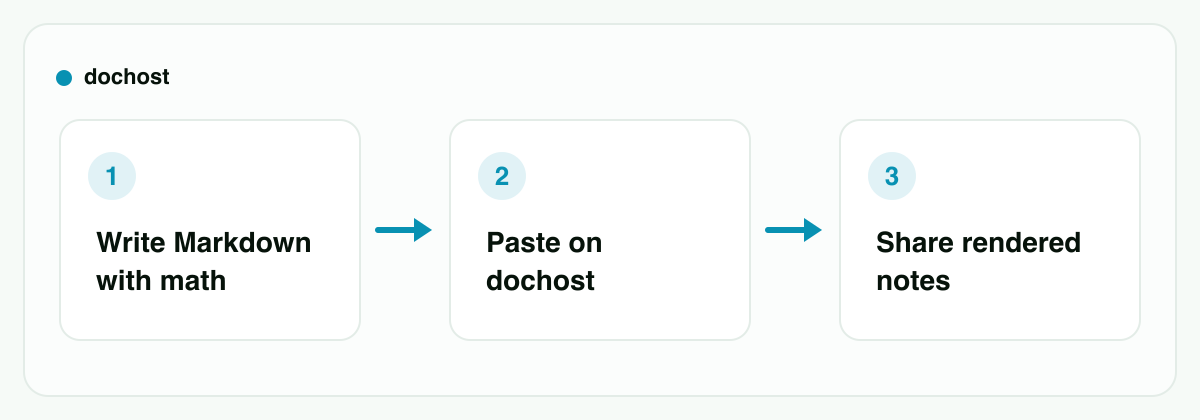
Publishing the notes in three steps
- Write (or export) the Markdown. Type it yourself in any text editor, or copy it out of a ChatGPT/Claude conversation. No special file format — it's just text with
$delimiters around the math. - Paste it on dochost. Use the LaTeX viewer if the notes are equation-heavy, or the general Markdown preview — both render math the same way. You see a live preview immediately, so you can catch a missing brace or an unclosed
$before anyone else does. - Publish and share the link. One click gives you a short link. Send it in the group chat, the course forum, or an email. It opens in any browser, renders cleanly on phones, and recipients don't need an account, an app, or a LaTeX installation.
No account is required to publish, either. Free links last 7 days — which happens to fit a weekly tutoring rhythm — with or without an account. If you want a permanent problem-set archive, paid plans keep links up indefinitely.
Who this actually helps
A tutor sending weekly solutions. After each session, write up the worked problems in Markdown, publish, and drop one link in the chat with the student (or their parents). The 7-day lifespan means old links quietly expire instead of accumulating; next week gets a fresh link with fresh solutions.
Study-group notes. One person types up what the group worked through — definitions inline with $...$, the key derivations as $$...$$ blocks — and shares the link before the exam. Everyone reads the same typeset version instead of five people squinting at a photo of a whiteboard.
A TA posting problem-set hints. Course forums and LMS text boxes often mangle math or don't render it at all. Writing the hint as Markdown and posting a link sidesteps the platform entirely: the hint renders correctly no matter what the forum software does to inline text.
AI-assisted explanations. If a student asks ChatGPT or Claude to explain a derivation and gets a good one, the Markdown it produced can go straight to a shareable page. There's a Chrome extension that adds a one-click publish button inside both chats, which turns "let me screenshot this explanation" into "here's a link."
When you should use Overleaf instead
Honest boundary: this is Markdown with math, not full LaTeX. There's no \documentclass, no custom packages, no \newcommand preambles, no TikZ figures, no bibliography management, no precise page layout. The math notation — fractions, integrals, sums, matrices, Greek letters, aligned environments — renders, but the LaTeX document system isn't there.
So pick the tool by the job:
- A paper, thesis, or formal problem set with strict formatting → Overleaf. It's a real collaborative LaTeX editor: full package ecosystem, PDF output, journal templates, multi-author editing. That's what it's for, and nothing Markdown-based replaces it.
- Course notes, weekly solutions, hints, study summaries → Markdown + math on a shareable page. You skip the compile step, the project setup, and the PDF attachment; readers get a web page instead of a download.
A useful tell: if you're reaching for \usepackage{...}, you want Overleaf. If your document is headings, prose, and equations, Overleaf is overhead.
Small things that prevent rendering surprises
- Match your
$signs. An unclosed delimiter is the most common failure — the live preview makes it obvious because everything after the stray$renders wrong. - Watch literal dollar amounts. A sentence like "costs $5 and $10" can trip the parser into math mode; escape as
\$5when writing about money in math-enabled notes. - Blank lines around
$$blocks keep display equations from gluing onto the preceding paragraph. - Standard notation travels best. Common commands —
\frac,\int,\sum,\sqrt,\begin{aligned}, matrices — render reliably; exotic package-specific macros won't, because there are no packages.
Bottom line: math notes deserve better than screenshots and raw backslashes. Write them as Markdown with $...$ and $$...$$ math, paste them into the LaTeX viewer, and share one link that renders the equations properly on any device. Save Overleaf for the documents that genuinely need full LaTeX.
More Posts

How Explore and Likes Work on dochost
Public pages appear on Explore, readers can like them from the corner pill, and 30 likes buy a free page another 30 days. Here is what gets listed, how the three sort orders are ranked, what a like counts, and how to keep a page off Explore without hiding the link.


How to Make a One-Page Website With ChatGPT (No Hosting Setup)
Prompt ChatGPT for a single self-contained HTML page, iterate in chat, then paste it on dochost and get a live link — no hosting account, no deploy.

How Long a Free dochost Link Lasts, and How to Extend It
Free pages expire after 7 days. Here is where that countdown shows up — success panel, reader footer, dashboard — and the three ways to keep a page online: a one-time extension, a like milestone, or a plan that makes every link permanent.
Newsletter
Join the community
Subscribe to our newsletter for the latest news and updates