An mdshare alternative for pages you want to keep
mdshare is great for a throwaway, no-login Markdown paste. dochost is the alternative when you want the same speed but a page that persists, carries your branding, or hides behind a password.
Paste your Markdown
Get a clean link in seconds — no signup, free for 7 days.
A no-login Markdown sharer is perfect for a quick, disposable link — paste, share, forget. The limits show up the moment the page matters: there is no account, so you cannot find it again, the link is not meant to last, and there is no way to lock it or put it on your own address. dochost keeps the fast path — paste Markdown or HTML, get a link, no account required — but adds the things you want once a paste becomes a real document: a signed-in dashboard to manage your pages, permanent links, a custom subdomain, and password protection. You start as fast as a throwaway tool and grow into a durable one without switching services.
How sharing mdshare alternative works
- 1.
Copy the output straight from your AI tool — the raw HTML or markdown, not a screenshot. There is no file to save and no app to install first.
- 2.
Paste it into the box above. The preview renders it the way the recipient will see it, so you can confirm the formatting before you share.
- 3.
Create the link and send it. Whoever you send it to opens a clean, read-only page in their browser — on a laptop or a phone — with nothing else from your chat attached.
A real example
A support lead pastes a troubleshooting guide into a no-login Markdown tool and shares it in a customer thread. It works — until two weeks later, when they want to update a step and realize they have no way back to the page, and the old link has expired anyway. They redo it in dochost while signed in. The Markdown renders the same way, but now the page lives in their dashboard, so when the product changes they open it, edit, and republish. Because it is on a paid plan the link is permanent and sits on support.dochost.co, so the URL they handed out keeps working and looks like theirs. The throwaway became a maintained reference without ever leaving the same paste-and-link workflow.
Questions about mdshare alternative
Can I still use it without signing up?
Yes. The fast path is the same: paste Markdown or HTML and get a public link with no account. An account is optional, and it is what unlocks a dashboard to find and edit your pages later — the main thing a no-login tool cannot offer.
How is this different from a no-login Markdown sharer?
The speed is the same; the staying power is not. dochost adds accounts, a page manager, permanent links, a custom subdomain, and password protection. It also hosts raw HTML, not only Markdown, so styled pages and AI-generated HTML work too.
Will my links expire?
Free links expire on a set schedule — 7 days (3 days if published as private), with or without an account — which is right for disposable shares. On a paid plan links are permanent, so a page you mean to keep does not vanish.
Can I keep a page private?
On a paid plan you can put a password on a page, so only people with the password can open it. A no-login tool generally leaves every link fully public to anyone who has the URL.
Three levels of private for a Markdown page
“Private” means different things depending on who must not read the page. dochost has three settings, from lightest to strictest.
- Private (link-only). The page is not listed on Explore. Anyone you send the link to can read it, and nobody else will come across it. Free private pages last 3 days.
- Hidden from search engines. This is the default for every page. A page is only indexed if it is permanent and you list it on purpose.
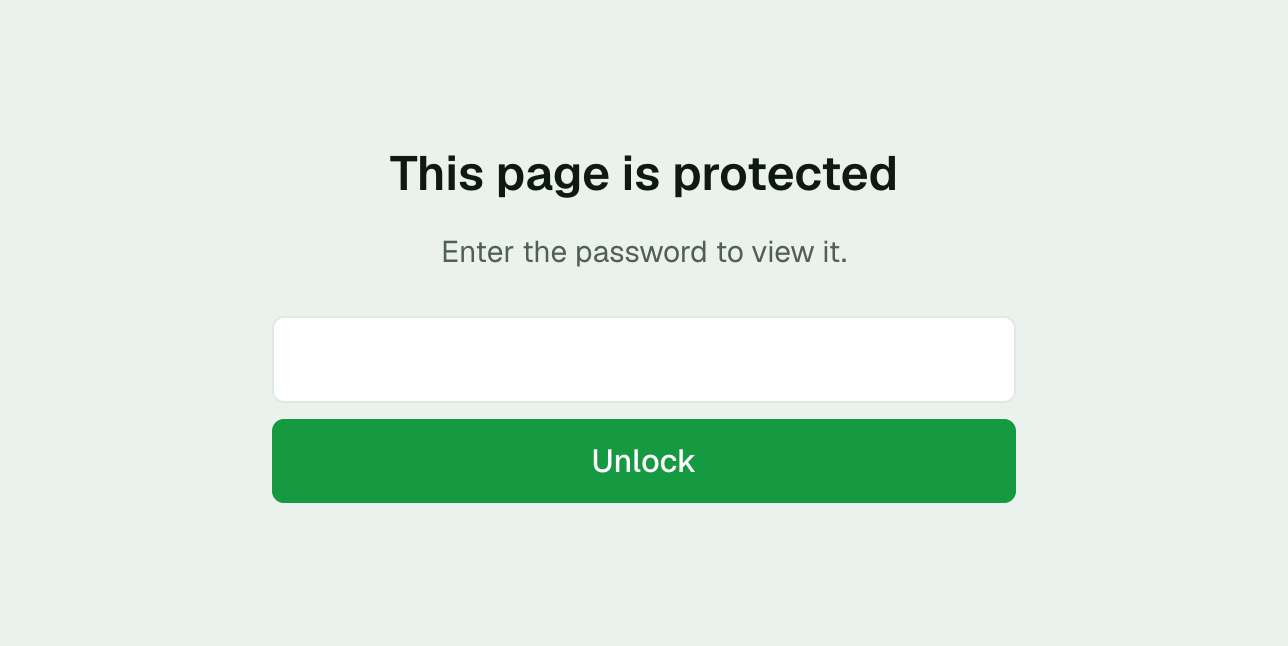
- Password. On Pro the reader must enter a password before the page renders. Someone who finds the link in a forwarded email sees the prompt below and nothing else.
The password is set when you publish. To change or remove it, publish the page again.
Keep your links forever
Free public pages initially last 7 days; private pages last 3 days. Paid plans support permanent links; trial expiry rules differ.
See pricingRelated use cases
- Turn any AI output into a shareable linkWhatever your AI tool produced — HTML, markdown, a long answer — paste it and get one link to send to your team, client, or group chat.
- Markdown to HTML: render and host in one stepRender Markdown into a clean HTML page with live preview, then publish the result as a shareable link.
- A JotBird alternative that also hosts HTMLLooking for a JotBird alternative? dochost publishes Markdown to a clean link the same way — and also takes raw HTML, so a full styled page becomes a URL, not just a formatted document.