How to Claim a yourname.dochost.co Subdomain
Pro and Max accounts can serve every page from a short branded address like acme.dochost.co instead of dochost.co/d. Here is how to claim one, what happens to old links, and why renaming needs a second click.
Every dochost page lives at dochost.co/d/{slug}. On a Pro or Max plan you can also give your account a dochost subdomain: a short address like acme.dochost.co that serves all of your pages as acme.dochost.co/{slug}. It needs no DNS, no waiting and no certificate step — you pick a name and it is live. This guide shows the two clicks involved and the one thing to know before you rename it.
If you own a domain and want docs.yourcompany.com instead, that is a different feature: see How to Serve Your dochost Pages From Your Own Domain.
Claim the name
Open Settings → Domains. The card lists every address your pages are served from. Next to No dochost subdomain yet, click Claim, type a name, and click Claim again.
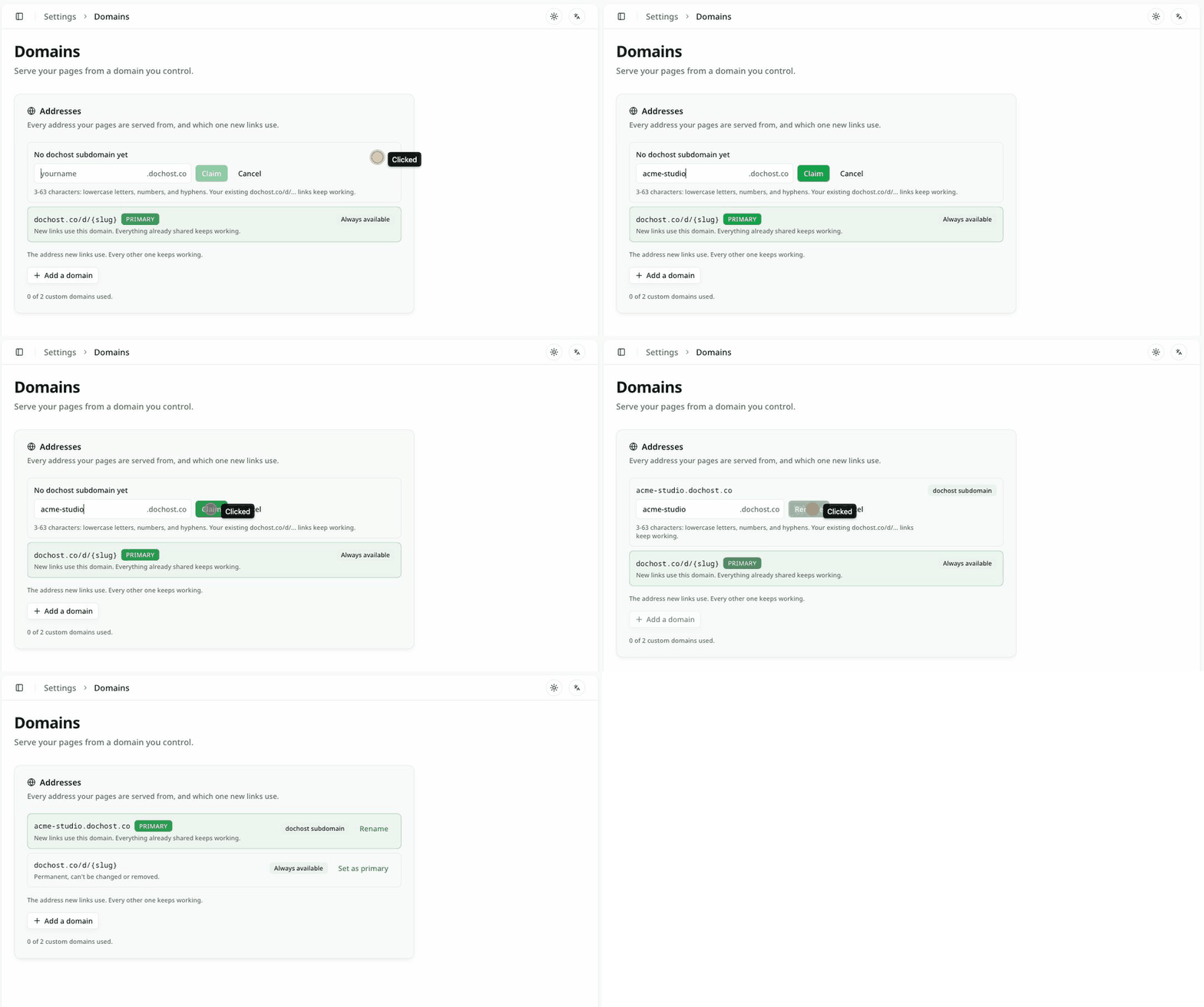
Names are 3 to 63 characters: lowercase letters, numbers and hyphens, with no leading, trailing or doubled hyphens. A handful of words are reserved (www, api, mail, and the like), and a name someone released in the last seven days is on hold, so you may see That subdomain was recently released — try another or wait it out.
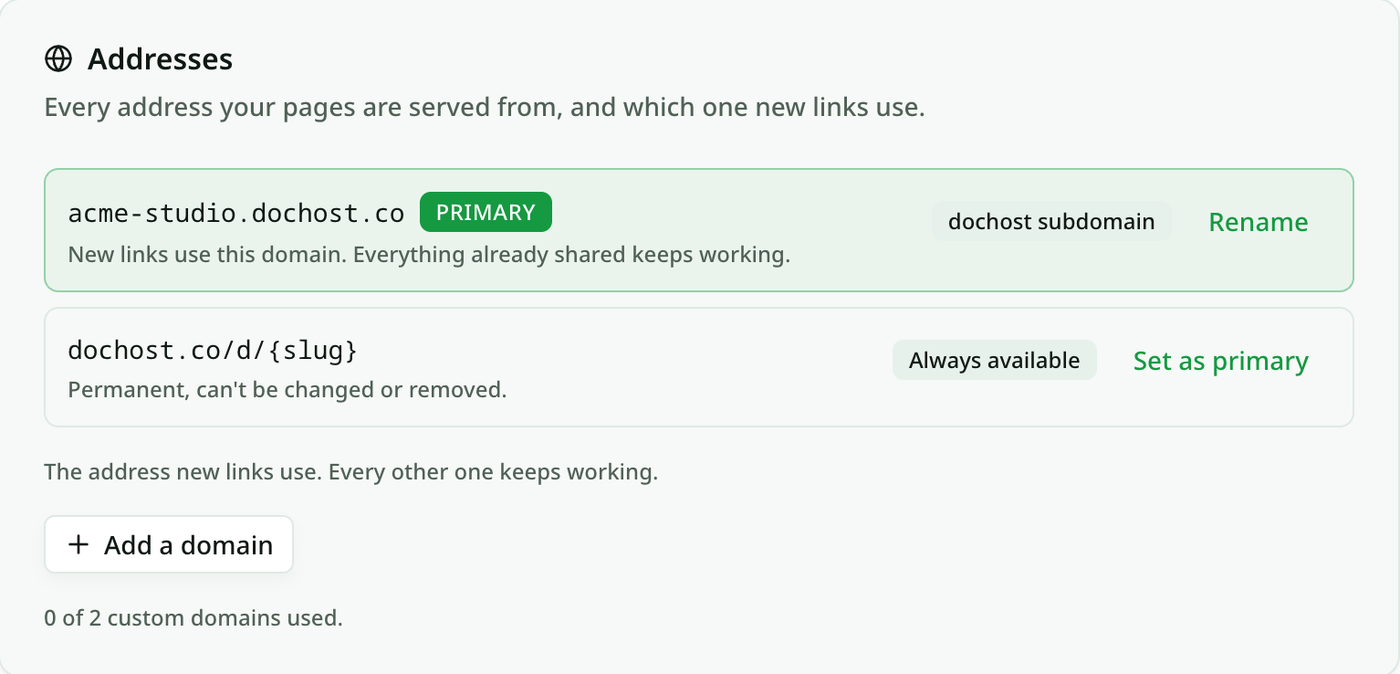
That is the whole setup. The subdomain resolves immediately over HTTPS.
What changes, and what does not
- New links use the subdomain. If it is marked PRIMARY, every page you publish from now on — from the website, the browser extension, the MCP tools or the API — comes back as
acme-studio.dochost.co/{slug}. - Old links keep working. Every page is still reachable at
dochost.co/d/{slug}, which is permanent and cannot be removed. Nothing you have already shared breaks. - Primary is a choice, not a lock. Each row has a Set as primary action. If you would rather hand out
dochost.co/dlinks and keep the subdomain as an alias, switch it back. - Pages themselves do not change. Passwords, expiry, analytics and edit links are all attached to the page, not the address.
Renaming releases the old name
Click Rename on the subdomain row, type the new name, and click Rename. dochost does not apply it yet — it shows a warning first:

The second click confirms. Two things follow from the wording:
- Links on the old subdomain keep resolving for seven more days, then stop. Links on
dochost.co/dare unaffected. - The old name is held for seven days before anyone else can claim it, so a typo is recoverable: rename back within the week and nothing was lost.
There is no separate "remove" action for a subdomain. If you no longer want one, leave it as an alias and set dochost.co/d as primary; it costs nothing to keep.
If your plan lapses
If the account drops back to the free plan, the subdomain stops serving and new links fall back to dochost.co/d. The name is kept for seven days, so re-subscribing inside that window brings it straight back. Pages are never affected — only the address.
Try it
Open Settings → Domains, click Claim, and publish something. The success panel shows the new address on the very next page.
Author

Categories
More Posts
How to Password-Protect a Page and Pick Its Link
Two Pro options on the publish panel — a custom link and a password — turn a random dochost URL into dochost.co/d/team-handbook that only people with the password can read. Here is the flow end to end, including what readers see.
Turn Any AI Output Into a Shareable Link
Every AI tool leaves you with output trapped in a chat window. Here's the neutral step that turns it into one clean link for your team or client.
How to Share the HTML ChatGPT Writes (Without Saving a File)
ChatGPT writes you a full HTML page, but it's stuck in the chat as code. Here's how to turn it into a link your team or client can open.
Newsletter
Join the community
Subscribe to our newsletter for the latest news and updates