Tiiny.host vs Netlify Drop: The Fastest Way to Put One HTML File Online
A head-to-head look at Tiiny.host and Netlify Drop for getting a single HTML file online — setup, accounts, free-tier limits, and where dochost fits.
You have one HTML file. Maybe a tool exported it, maybe ChatGPT or Claude generated it, maybe you hand-wrote a landing page mockup. It works when you double-click it — and it's completely invisible to everyone else. You need a URL, and you'd rather not learn a deployment pipeline to get one.
Tiiny.host and Netlify Drop are the two names that come up most for this. Both are drag-and-drop hosts, but they're built for different people, and the differences show up exactly where it hurts: how much setup stands between you and a link, and what happens to that link a week later.
Tiiny.host: drag, drop, sign up, publish
Tiiny.host is aimed squarely at non-deployment people: designers sharing a prototype, students posting a project, anyone with a file and no interest in hosting.
The flow is genuinely simple. You can drop a single .html file directly — no zip needed for one page. If your page has separate CSS or JS files, you zip the folder (with an index.html inside) and upload that instead. Pick a name for your link, hit publish, done.
The catch is the account. Tiiny's homepage pitches a try-before-signup experience, but its own how-to guides list "Login or Sign up" as the first step before you reach the upload dashboard — and the link's lifespan is tied to that account. Per their help center, free links stay online indefinitely as long as you log into your account at least once every three months. Forget about it for longer than that and the account can be removed, link included.
The free tier is real but tight: one project, a 3 MB upload cap, a monthly visitor limit, and a Tiiny Host banner on your page. Removing the banner, adding a password, connecting a custom domain, or hosting more (and bigger) projects all require a paid plan. For a single lightweight HTML file shown to a handful of people, the free tier covers it; for anything else you'll hit a wall quickly.
Netlify Drop: a folder in, a real static site out
Netlify Drop is the drag-and-drop front door to Netlify, a full static-hosting platform. You go to the Drop page, drag in your project folder or a zip of it, and get a live site at a netlify.app URL.
Note the unit: a folder, not a file. Drop is built around the idea of a site, so the natural move is to put your file in a folder (named index.html, so it serves at the root) and drag the folder in. It's a small step, but it's the first hint that you're using a site deployment tool for a one-file job.
The account story is the bigger one. You can drop a site without signing in, but that deploy is explicitly temporary — Netlify's Drop quickstart says an unclaimed project sits behind a temporary password until you claim it, and its CLI docs say anonymous deploys left unclaimed for an hour are removed. In practice, if you want a link that survives the afternoon, you're creating a Netlify account. Once claimed, though, the deal is good: the free tier is generous for personal projects, the site doesn't expire, and there's no banner injected into your page. Updating means dragging the updated folder onto the site's deploys page.
And if the project grows, Netlify grows with it: connect a Git repo and you get automatic builds, deploy previews, rollbacks — an actual professional pipeline. That's the real reason to choose Drop: not the drag-and-drop itself, but what's behind it.
Where Netlify Drop lives and what it asks for in 2026
If you came here looking for Drop itself, it is at app.netlify.com/drop. Here is what Netlify's own Drop page and docs say about it, checked in October 2026:
- It now takes a single file. The page accepts a folder, a zip or a single HTML file, so you no longer have to wrap one
index.htmlin a folder first. - No account to drop, an account to share. You can publish without signing in, but Netlify's Drop quickstart says that project "is protected with a temporary password until you claim it", and you claim it by logging in or signing up.
- It is free to keep. The page's FAQ says a dropped project can stay on the free plan indefinitely.
- Big folders get stuck. The quickstart recommends keeping a deploy under 50 MB and warns that single files over 10 MB can stall it; for anything larger it points you to the Netlify CLI.
- A build step needs a login. Drop an Astro, Vite or Next.js project folder and Netlify will build it for you, but it asks you to log in or sign up first. Without logging in, it publishes the files exactly as they are.
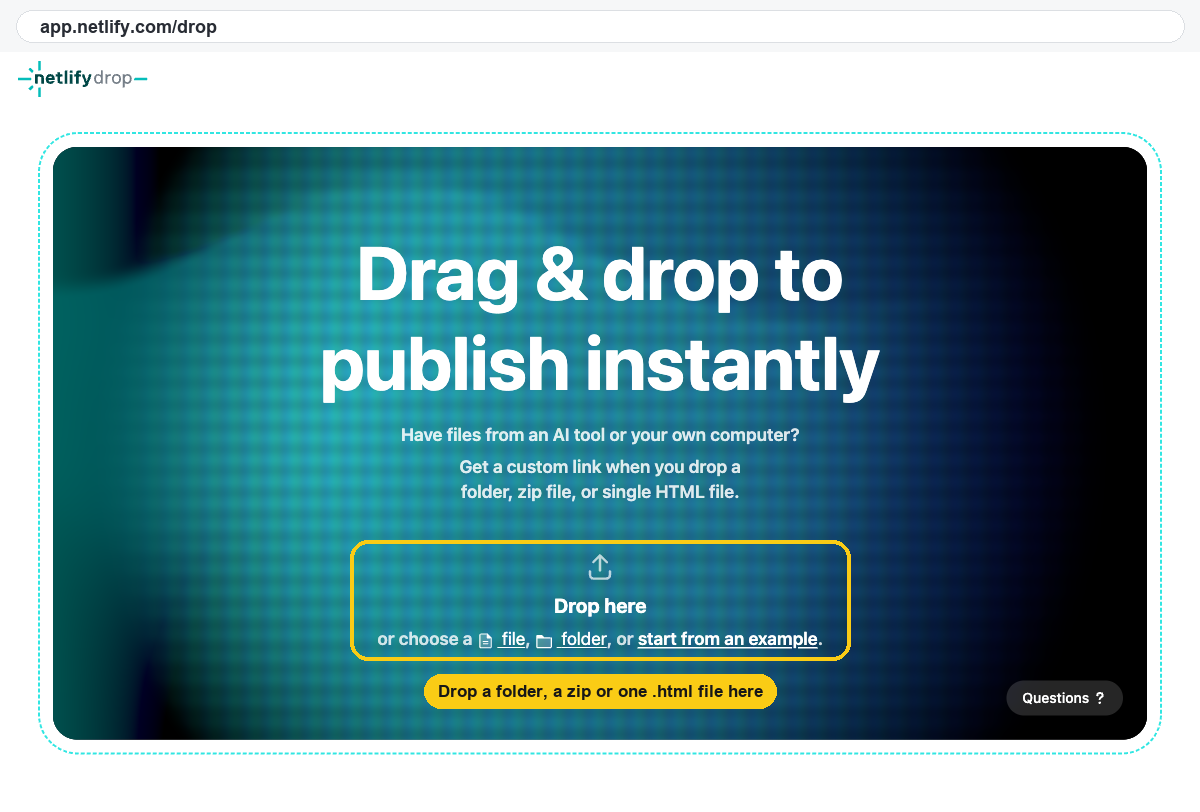
In short: Drop is still the quickest way onto Netlify, but the link you can send someone without a password arrives after the sign-up, not before it.
Head-to-head for the one-file job
For the specific task of "put this one HTML file online now":
- Setup friction. Tiiny wins on upload format (a bare
.htmlfile is fine); Netlify wants a folder or zip. Both effectively route you through account creation before you have a durable link. - Link over time. Netlify is the stronger promise: a claimed free site just stays up. Tiiny's free link persists too, but only while you keep logging in at least every three months — a strange chore for a file you shared once.
- The page itself. Netlify serves your file untouched. Tiiny's free tier puts its banner on your page, which matters if the person opening the link is a client.
- Ceiling. Tiiny free tops out at one small project. Netlify's free tier can carry you from one file to a real multi-page site without switching tools.
If you'll ever have more than one file — a site, a project with builds, anything ongoing — Netlify Drop is the better on-ramp, full stop. If you're allergic to anything that smells like a developer tool and your file is small, Tiiny's flow will feel friendlier.
But notice what both have in common: an account, a dashboard, and a mental model built around sites. Your actual situation is a single file and a person waiting to see it.
Where dochost fits: skip the file manager entirely
dochost attacks the same job from the other side. Instead of treating your HTML as a site to be deployed, it treats it as content to be shared. You paste the markup (or upload the file — either works), see a live preview, click publish, and get a short link. No zip, no folder, no account, no claim window. If the HTML came out of ChatGPT or Claude, there's a Chrome extension that adds a one-click publish button right in the chat, and the HTML to URL page does the same thing for anything on your clipboard.
The page renders exactly as authored — inline CSS and JavaScript run as written, and CDN-loaded fonts or frameworks work — so interactive one-pagers, little dashboards, and quizzes behave like they did locally. It handles Markdown too, rendered to a clean themed page, if what you're sharing is a doc rather than a page.
The honest trade-off is lifespan. Free links last 7 days (3 days if you publish them as private, link-only), with or without an account; permanent links (plus custom slugs and password protection) are on the paid plans. For "review this by Friday," 7 days is exactly right. For "this is my portfolio," it isn't — that's Netlify territory.
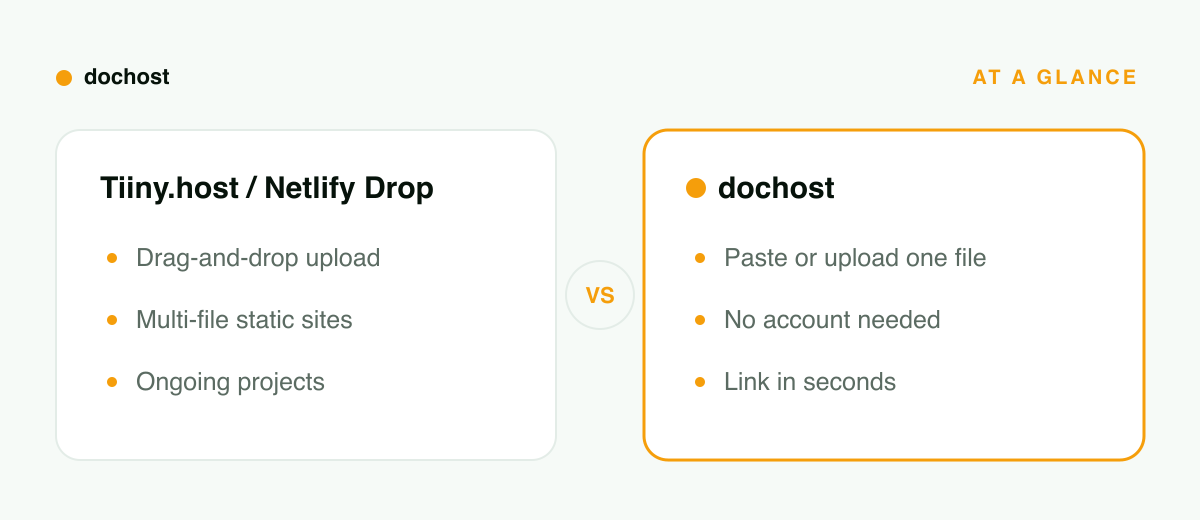
At a glance
| Tiiny.host | Netlify Drop | dochost | |
|---|---|---|---|
| Setup | Drag file, name link, publish | Drag folder/zip to Drop zone | Paste markup or upload, publish |
| Account | Yes, in the publish flow | Yes, to keep the site (anonymous deploys are temporary) | No — optional |
| Upload format | Single .html or zip | Folder or zip | Pasted HTML/Markdown or a file |
| Free limits | 1 project, 3 MB, banner on page | Generous; no banner | No zip/size ceremony; 7-day link |
| Link over time | Stays up if you log in every 3 months | Stays up once claimed | 7d free (3d private) / permanent paid |
| Best for | Non-devs sharing one small page | Real sites and ongoing projects | Fast, disposable sharing of one file |
Which one should you actually use?
- Use Netlify Drop when the file is the seed of something ongoing — a site you'll update, a project that will eventually want a custom domain and a build step. The folder-and-account ceremony pays for itself the second time you deploy.
- Use Tiiny.host when you want a persistent single page, you're fine with an account and the free tier's banner and size cap — or you'll pay to lift them.
- Use dochost when the file is the deliverable: an AI-generated page, a prototype, a report someone needs to open today. Paste, publish, send the link, move on. (If it's Markdown from a chat instead of HTML, the same flow applies.)
Weighing GitHub Pages too? The four-way comparison is in Netlify Drop vs GitHub Pages vs Tiiny Host.
Bottom line: Netlify Drop is a deployment platform with a friendly front door; Tiiny.host is a file host with an account attached. If you have a site, use Netlify. If you have exactly one HTML file and a person waiting on it, paste it into dochost and have the link before either signup form loads.
FAQ
Is Netlify Drop still free? Yes. Netlify's Drop page says you can drop projects and keep them on the free plan for as long as you like. What it does not give you without an account is an open link: a project dropped without signing in sits behind a temporary password until you claim it.
Where do I find Netlify Drop? At app.netlify.com/drop. Drag a folder, a zip or a single HTML file onto the page, or use the file and folder pickers under "Drop here".
Do I need a Netlify account to use Drop? Not to publish, but yes to share. Without signing in, the project's URL asks visitors for a temporary password; signing up claims the project and opens the link. If you need an open link to one HTML file with no account at all, dochost gives you one immediately, valid for seven days on the free plan.
الكاتب

التصنيفات
مقالات أخرى
How to Share Math Notes Online (With LaTeX Rendering)
Turn Markdown notes full of LaTeX equations into a clean, shareable web page — no Overleaf project, no PDF export, no screenshots of handwriting.
Can You Share a ChatGPT Site Link? Who Can Open It, and When dochost Fits Better
Yes, if you publish it to the right audience. Who can open a ChatGPT Sites link, when visitors need a ChatGPT account, which plans include Sites, and when a plain HTML link is the simpler choice.
Markdown to HTML: Convert and Host in One Step
How to convert Markdown to a clean, GitHub-flavored HTML page — and get a public link for it without running a static-site generator.
النشرة البريدية
انضم إلى مجتمعنا
اشترك في نشرتنا البريدية لتصلك آخر الأخبار والتحديثات