ChatGPT to PDF: save a reply as a clean, printable PDF
Paste a ChatGPT answer, see it laid out on an A4 or Letter page — tables, code and formulas included — and save it as a PDF without the chat around it.
A4 or Letter, tables and formulas included. Printed by your browser — nothing is uploaded.
Trip budget — Lisbon, 4 days
| Item | Cost |
|---|---|
| Flights | €220 |
| Hotel (3 nights) | €360 |
| Food | €140 |
| Transport | €40 |
Total: €760, or about €190 a day.
Split between two people that is each.
Book first: the hotel. Prices in Alfama rise from Thursday, so a Sunday-to-Wednesday stay is the cheap window.
per day  = 760 / 4 = 190
per head = 760 / 2 = 380
Save as PDF opens your browser’s print dialog — choose “Save as PDF” as the destination. Nothing is uploaded.
A ChatGPT answer is often worth keeping: a study summary, a trip budget, a contract checklist, a set of formulas. Keeping it as a PDF usually means a screenshot that cuts off halfway, or printing the chat page with the app’s own layout around the answer.
This tool takes the reply on its own. Paste what the Copy button gives you and the preview lays it out as a printed page: headings, real tables with a shaded header, code blocks that wrap instead of running off the edge, and formulas typeset the way they look in the chat. Choose A4 or Letter and press Save as PDF — your browser’s print dialog opens with only the page in it, and you pick “Save as PDF” as the destination. The text stays selectable and searchable in the PDF, and nothing is uploaded.
How to save a ChatGPT reply as a PDF
- 1.
Copy the reply. Use the Copy button under the answer in ChatGPT — it copies the formatting as Markdown, tables and formulas included.
- 2.
Paste it and pick a paper size. The preview is the page as it will print: A4 or Letter, with an optional date line at the top.
- 3.
Press Save as PDF. Your browser’s print dialog opens with only the page in it. Choose “Save as PDF” (on a phone: Share → Print → Save) as the destination.
- 4.
Or publish it. A link opens on any device and can be updated later, which a PDF cannot.
A real example
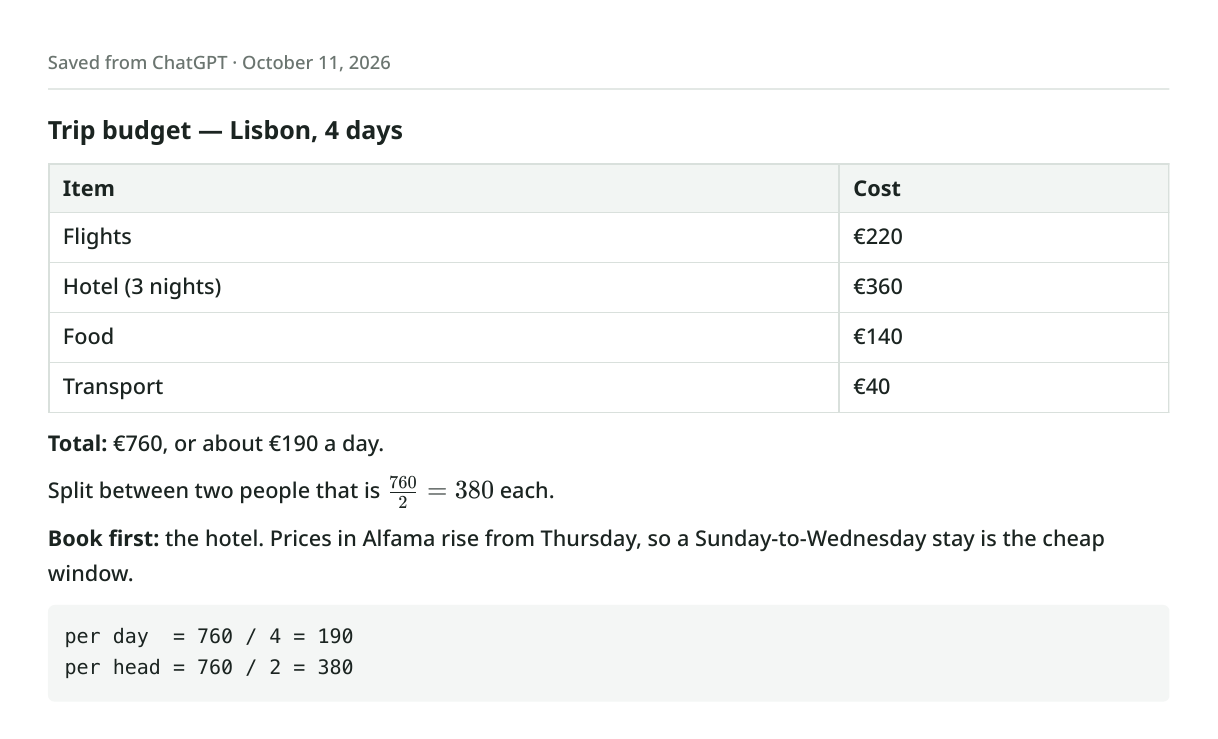
Two friends plan four days in Lisbon with ChatGPT. The final answer is a cost table — flights, hotel, food, transport — a total, a per-person split written as a formula, and a note about when hotel prices rise. One of them wants it as a PDF to keep with the booking confirmations.
They click Copy under the answer and paste it above. The preview shows a single A4 page: the heading, a four-row table with “Item” and “Cost” in a shaded header, the total in bold, the split typeset as a fraction, and the arithmetic block in a grey box. With Date line on, the top of the page reads “Saved from ChatGPT” and today’s date.
They press Save as PDF. The print dialog suggests the file name “Trip budget — Lisbon, 4 days”, taken from the heading, and shows one page with nothing from this site on it. They choose Save as PDF, and the file goes into the trip folder. For the friend who would rather tap a link than open an attachment, they also publish it.
Questions about ChatGPT to PDF
How do I download a ChatGPT chat as a PDF?
Copy the reply with the Copy button under it, paste it here, and press Save as PDF. The browser’s print dialog does the saving — choose “Save as PDF” as the printer. You get the answer as a clean document, with its tables, code and formulas, and without the chat interface around it.
Can I save a whole conversation, not just one answer?
Paste the replies you want one after another — the page takes as much text as you give it, and long documents flow across as many pages as they need. ChatGPT’s Copy button works one reply at a time. For everything at once, Settings → Data controls → Export data emails you an archive of all your chats.
Do tables and math formulas come out right?
Yes. Tables print as tables with a header row and rows that do not split across a page break. Formulas written as \( … \) or \[ … \] — what ChatGPT uses — are typeset with KaTeX, the same as in the chat. If you need to edit the result afterwards, a Word file is easier: see ChatGPT to Word.
Does it work for Gemini, Claude and DeepSeek answers?
Yes — they all write Markdown, and the same Copy-then-paste works. Gemini’s Copy response and Claude’s Copy both give you the formatted text this page expects.
Is my conversation uploaded to make the PDF?
No. The page is laid out and printed by your own browser, so the text never leaves your device unless you choose Publish as a link. That also means the PDF looks the same as the preview.
Keep your links forever
Free links last 7 days with a free account. On a paid plan every page you create stays online permanently.
See pricingRelated use cases
- Markdown to PDF — render it, then Save as PDFPaste your Markdown, preview the formatted result, and use Print → Save as PDF to get a clean PDF. Or publish it as a shareable link.
- ChatGPT to Word converter, with equations and tables intactPaste a ChatGPT reply and download a real .docx: headings as Word headings, tables as Word tables, and every formula as a Word equation you can edit.
- ChatGPT text cleaner: remove hidden characters and MarkdownPaste what you copied from ChatGPT and see every odd space, zero-width character and stray asterisk marked — then copy clean text that pastes properly anywhere.
- Turn any AI output into a shareable linkWhatever your AI tool produced — HTML, markdown, a long answer — paste it and get one link to send to your team, client, or group chat.