How to Connect dochost to Claude, ChatGPT or Cursor With MCP
One URL — https://dochost.io/api/mcp — gives your AI assistant a publish tool. Here is the setup for each client, when you need an API key instead of OAuth, and how to create and rotate one.
dochost runs a hosted Model Context Protocol server. Once your assistant is connected, "publish this as a page" is a tool call: the assistant sends the Markdown or HTML, dochost returns a link, and you never open a browser tab. This guide covers the two ways to connect — OAuth for chat clients like Claude and ChatGPT, and an API key for headless agents and scripts — and where each setting lives.
The server URL is the same everywhere:
https://dochost.io/api/mcpWhich method do I need?
| You are using | Use | Why |
|---|---|---|
| Claude Code, Claude Desktop, ChatGPT, Cursor, VS Code, Codex, Windsurf | OAuth | The client opens a browser window, you approve once, nothing is pasted into a config |
| OpenClaw, Hermes, a cron job, your own script | API key | There is no browser to approve in, so the agent sends a key as a bearer token |
Both end up as the same account. Ownership, quota and Pro/Max entitlements come from the account, never from the tool call.
Connect with OAuth
Open dochost.io/mcp and pick your client at the top of the page. Each tab shows the one command or setting for that client, with a Copy button.
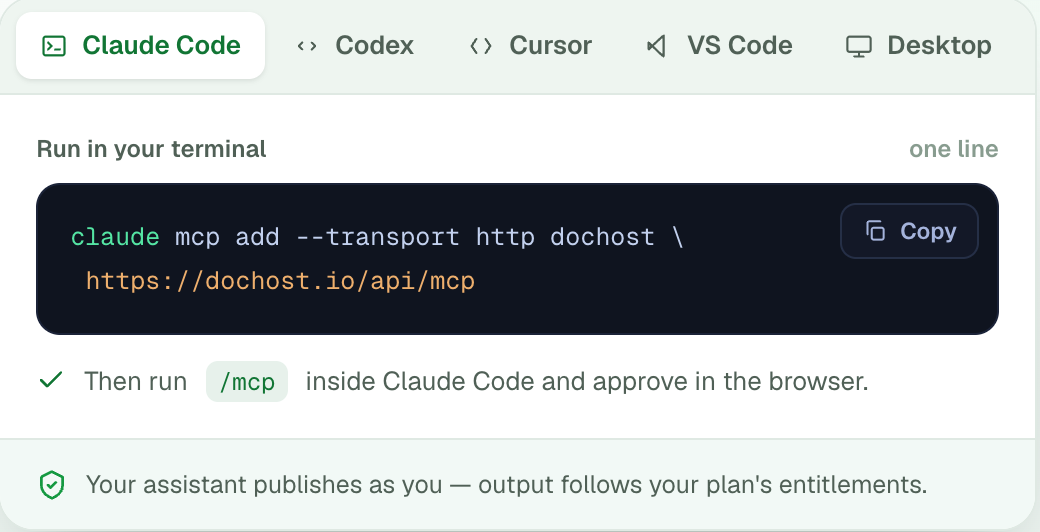
Claude Code is one line in the terminal, then /mcp inside Claude Code to approve in the browser. Add --scope user if you want it in every project rather than the current one.
claude mcp add --transport http dochost https://dochost.io/api/mcp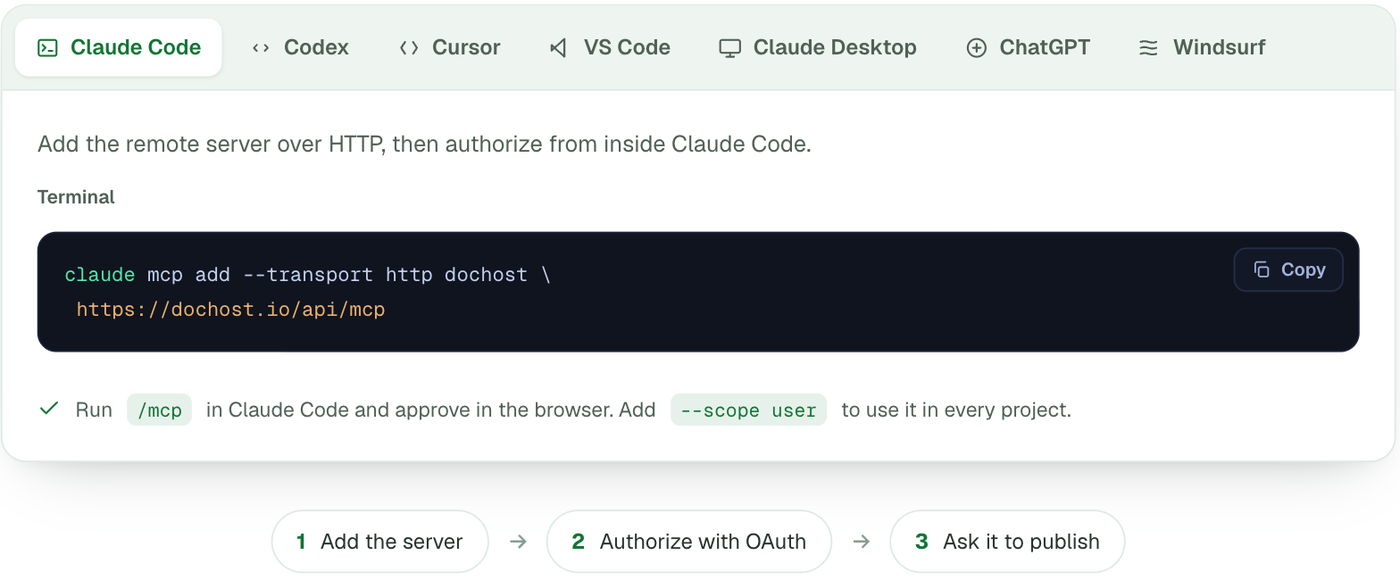
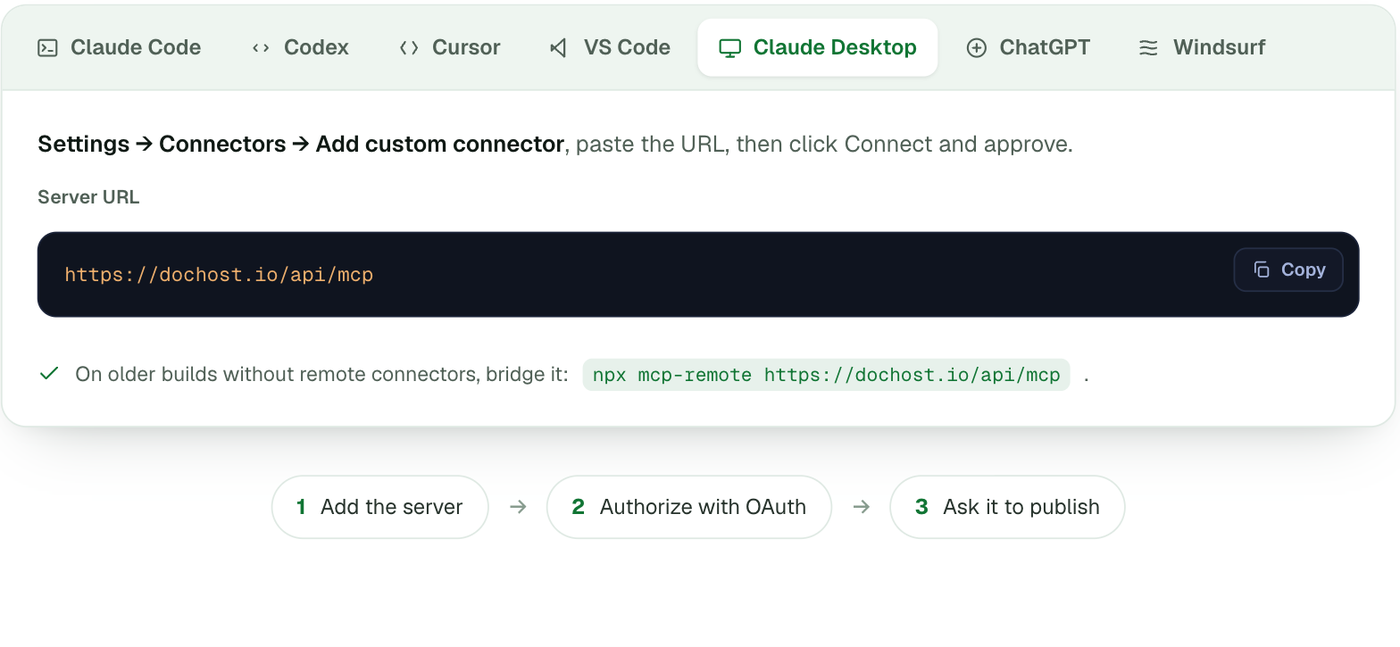
Claude Desktop: Settings → Connectors → Add custom connector, paste the URL, click Connect and approve. Older builds without remote connectors can bridge it with npx mcp-remote https://dochost.io/api/mcp.
ChatGPT: Settings → Connectors (developer mode), add a connector and paste the URL. This needs a ChatGPT plan where custom MCP connectors are enabled; you approve access on first use.
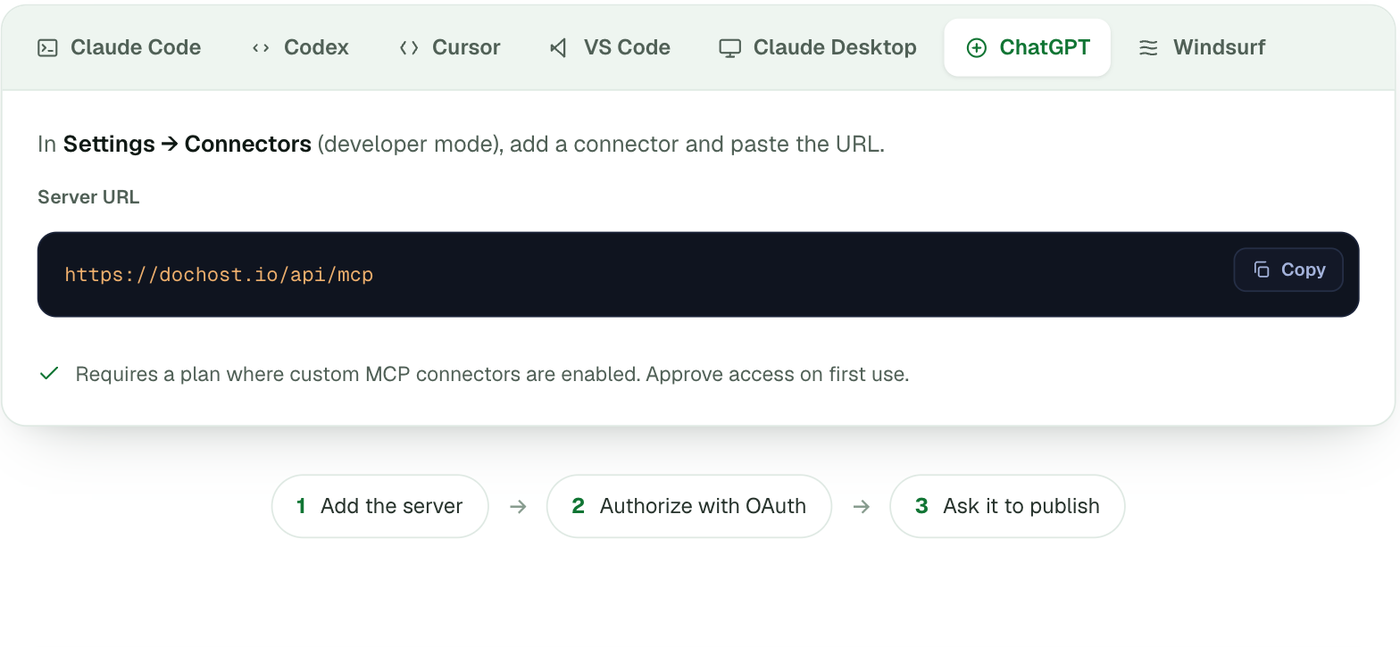
Cursor, VS Code, Codex and Windsurf each take a small JSON block with the same URL; the page has the exact snippet for each. Whichever client you use, the first tool call opens a dochost sign-in page — approve it and you are done.
Connect with an API key
Headless agents cannot click through an OAuth prompt, so they authenticate with a key. Keys are created in Settings → API keys.
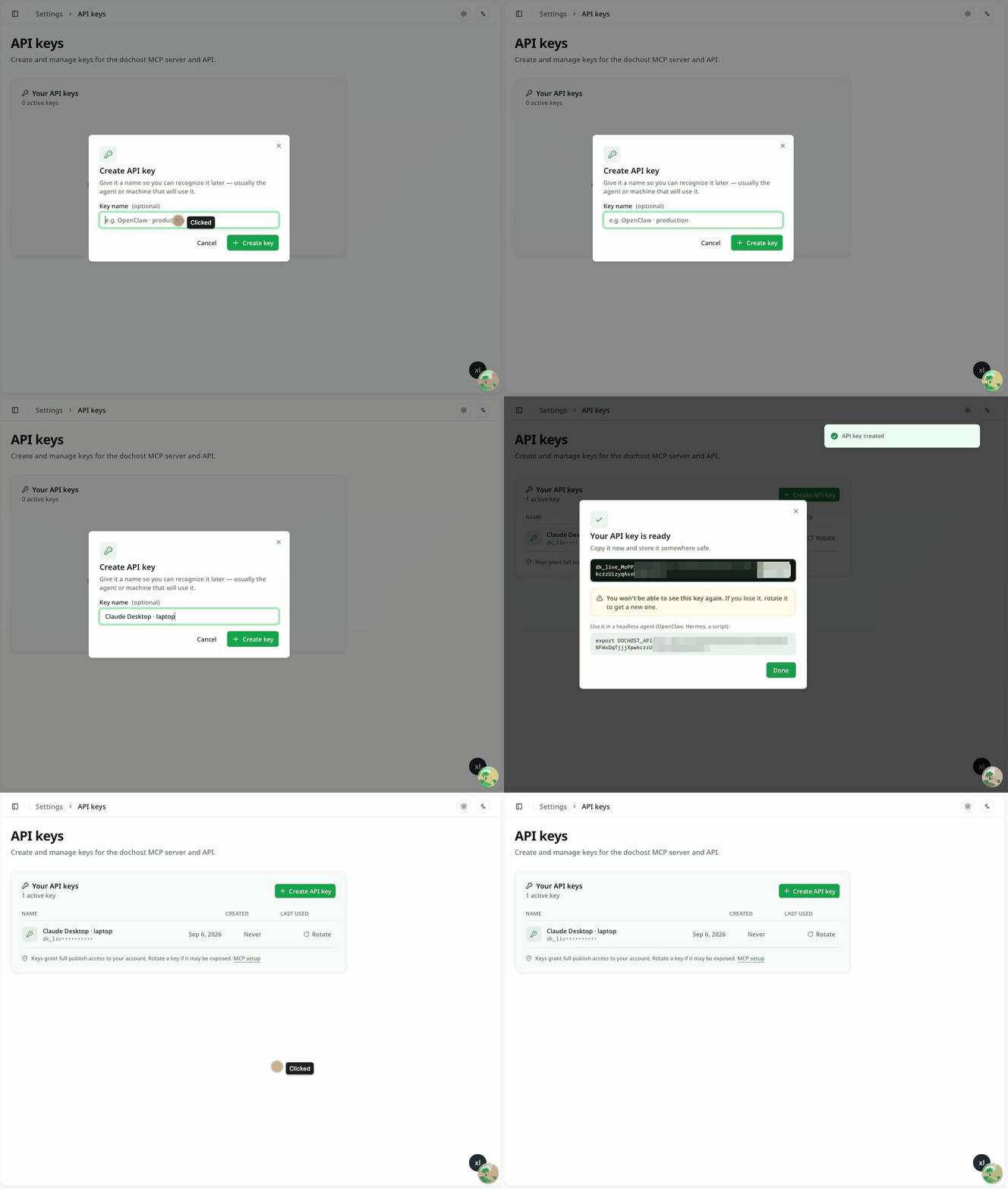
- Click Create API key. Give it a name you will recognise later — usually the agent or machine that will use it.
- Click Create key. The key is shown once, with a ready-made
export DOCHOST_API_KEY=…line. Copy it now. - Click Done. From here on the list shows only the prefix.
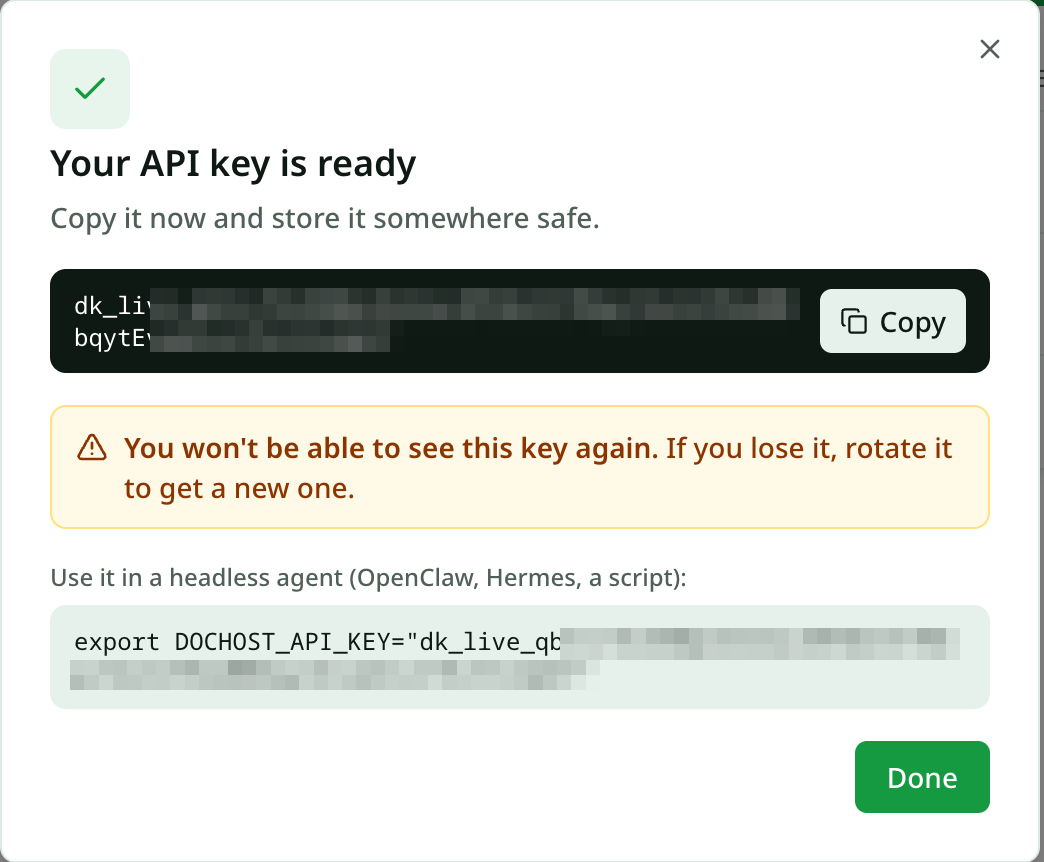
The agent sends the key as a bearer token on every request:
Authorization: Bearer dk_live_…For OpenClaw and Hermes the MCP page has a one-command skill install that reads DOCHOST_API_KEY from the environment, so the header is handled for you.
Rotating and revoking
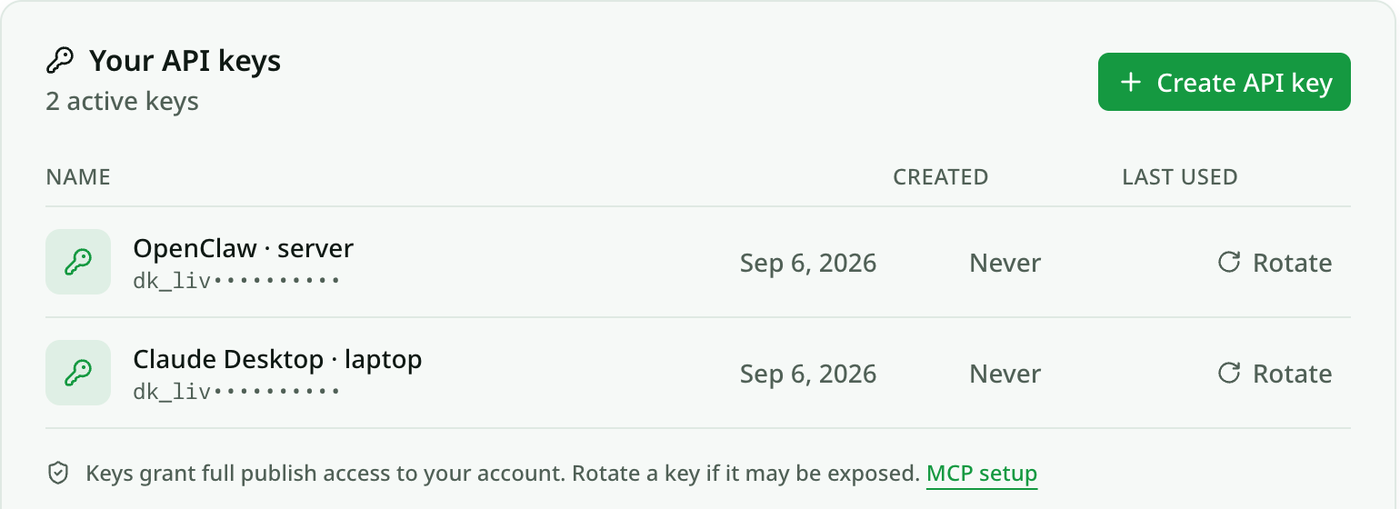
Keys grant full publish access to the account, so treat a leaked one like a leaked password. Rotate on the row generates a replacement and kills the old key immediately; update the agent's environment and it carries on. There is no separate delete — rotating and not using the new value has the same effect.
What the assistant can do once connected
Six tools: publish, list_my_pages, get_page, get_account, update_page and delete_page. Pages are unlisted unless the assistant is told to make them public, Pro options (customSlug, password, noBranding) are honoured on paid accounts, and calls are rate-limited to 20 publishes a minute and 300 an hour. Everything published this way shows up in the same dashboard as pages made on the website — same views, likes, expiry and analytics.
Free accounts get 7-day links here exactly as on the site; a plan makes them permanent (pricing).
更多文章
Edit a Page You Already Published — Without an Account
Published a page, then spotted a typo? dochost now gives you an edit link alongside the share link, so you can update the page in place and keep the URL.

How to Publish a ChatGPT HTML or Markdown Answer in One Click
When ChatGPT writes a page, the dochost Chrome extension puts a Publish button right under the code block. Here is the flow in a real ChatGPT chat — including the Public toggle and where the link ends up — and what to check when the button is missing.
PDF to Markdown, Word to Markdown, and Six More Converters That Run in Your Browser
A set of free document converters that do the work locally in the browser — no upload, no signup — and hand the result straight to a shareable link if you want one.
邮件列表
加入我们的社区
订阅邮件列表,及时获取最新消息和更新