dochost vs Tencent EdgeOne Pages
Deploy-and-serve platform vs paste-a-page-to-a-link tool — which fits the job at hand?
Paste your HTML and get a shareable link
No account, no deploy step — live in seconds.
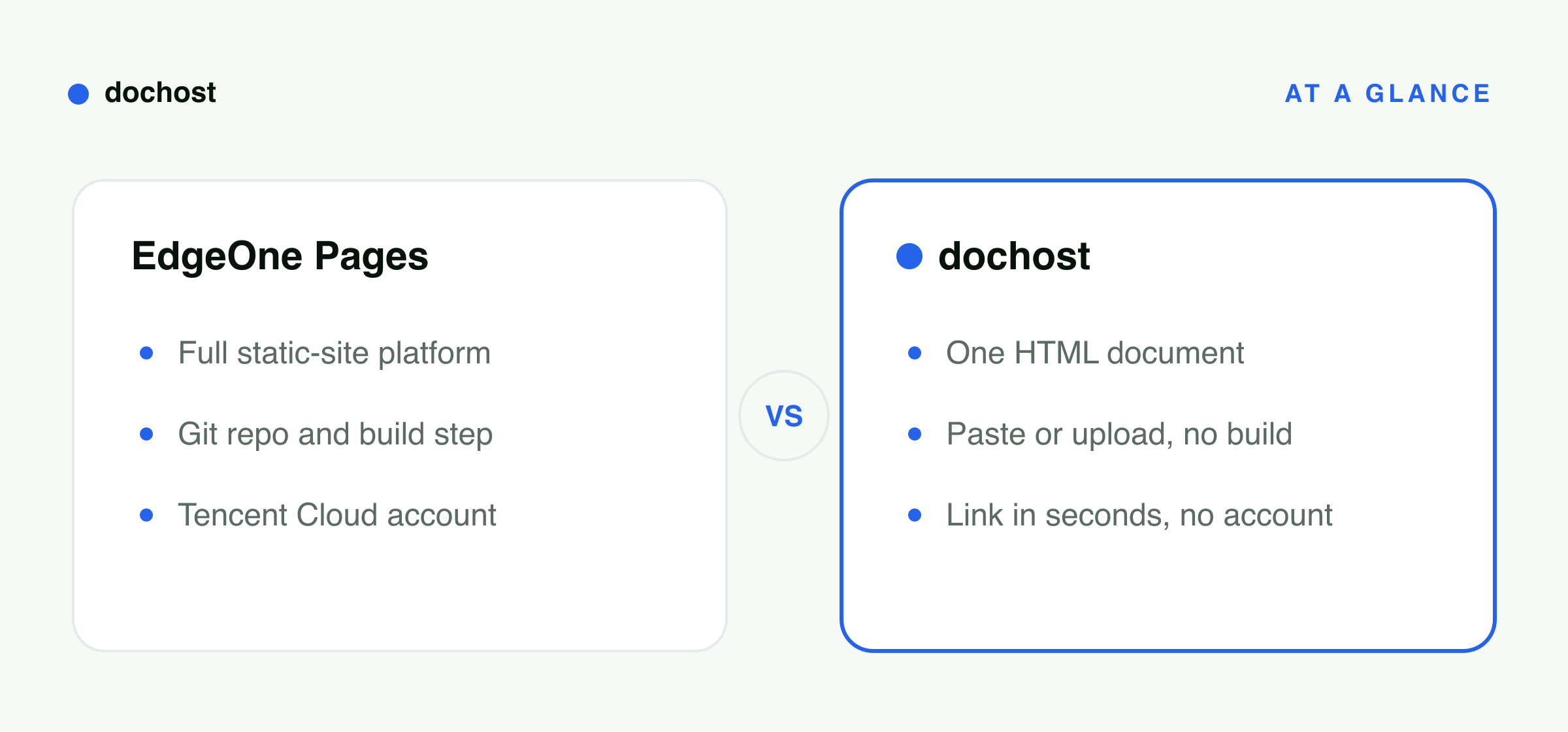
Tencent EdgeOne Pages is built around deploying and serving front-end projects on a global edge network. It tends to suit teams who want a production-grade static site with a build pipeline, custom domain, and the performance headroom to grow. dochost sits at the opposite end of the spectrum: paste or upload a single HTML page and get a shareable read-only link in seconds — no account, no repo, no deploy step. The two tools solve different jobs. Understanding which job you are doing right now is the fastest way to pick the right one.
How dochost works
- 1.
Paste your HTML into the editor or upload the file directly — no account needed to start.
- 2.
dochost processes the page and returns a clean, read-only shareable link within seconds.
- 3.
Send the link to anyone; they open it in a browser with no login or install, free for seven days or permanent on a paid plan.
實際範例
Picture a back-end engineer at a mid-sized SaaS company. Her team’s public marketing site already runs on EdgeOne Pages — it is wired to the main Git repo, deploys on every merge to main, and serves traffic through EdgeOne’s edge nodes. That setup is exactly right for a maintained production site with real users.
This morning, though, she used an AI coding assistant to generate a standalone HTML explainer of a new data-pipeline architecture she wants to walk a colleague through before their 2 p.m. call. The file is one self-contained page — no build, no assets folder, nothing to maintain. Opening a new EdgeOne project, configuring it, and waiting for the deploy just to share something for one afternoon feels like using a freight truck to deliver an envelope.
Instead she pastes the HTML into dochost, gets a link in a few seconds, and drops it into the Slack thread. Her colleague opens it on a phone without installing anything. After the call she is done with the link — the free seven-day window is more than enough. EdgeOne keeps running the production site it was designed for; dochost handled the one-off share it was designed for. Neither tool had to pretend to be the other.
關於 dochost vs EdgeOne 的常見問題
What is the core difference between dochost and EdgeOne Pages?
EdgeOne Pages is a deployment platform built around hosting and serving entire front-end projects on a global edge network — typically connected to a Git repository, a build pipeline, and a custom domain. dochost is a paste-to-link tool: you give it a single HTML or Markdown page and it returns a shareable, read-only URL immediately. EdgeOne is optimized for sites you will maintain and scale. dochost is optimized for a page you need online right now with zero infrastructure decisions involved.
Does dochost require a Git repo, a build step, or an account?
No. dochost has no concept of a repository, a build command, or a deployment pipeline. You paste or upload your HTML directly in the browser. Free links are live for seven days (3 days if published as private) with no account required. If you want a permanent link, a custom slug, or a subdomain, those are available on paid tiers — but even then the workflow is paste and share, not configure and deploy. There is no CLI to install and no project state to manage between sessions.
When should you choose EdgeOne Pages instead of dochost?
Choose EdgeOne Pages when you are running a real production site: a marketing homepage, a documentation portal, a web app that receives ongoing traffic, or anything with a custom domain and a release cycle. EdgeOne is designed for edge performance at scale, collaborative deployment workflows, and sites that need to stay up and be updated repeatedly over time. dochost is a poor fit for that scenario — it serves one static page per link and is not a replacement for a proper hosting and delivery platform.
Can you use EdgeOne Pages and dochost together?
Yes, and that combination tends to feel natural. EdgeOne handles the maintained production site — the one tied to the repo, the domain, and the team’s release process. dochost handles the ad-hoc shares that do not belong in that pipeline: an AI-generated explainer, a draft you want a quick reaction on, or a one-time reference page you will share in a meeting and not touch again. The two tools operate on different layers of the work and do not overlap in any meaningful way.
Is EdgeOne Pages free, and is dochost cheaper?
EdgeOne Pages advertises a permanent free plan with no card required, so for a static site the honest answer is that it costs nothing and price is not the reason to choose between them. What the free plan asks for instead is setup: a Tencent Cloud account, a Git repository on GitHub, GitLab or Bitbucket, and a build command and output directory to configure. That is a fair trade for a site you are going to maintain, and a strange amount of ceremony for one HTML file you want a colleague to look at before lunch. dochost is free for that second case with no account at all, and charges only when you want the link to outlive the seven-day window.
讓你的連結永久保留
免費帳號的連結保留 7 天。升級付費方案後,你建立的每個頁面都會永久上線。
查看方案與價格相關使用情境
- Turn any AI output into a shareable linkWhatever your AI tool produced — HTML, markdown, a long answer — paste it and get one link to send to your team, client, or group chat.
- Share ChatGPT HTML as a clean linkTurn the HTML ChatGPT writes for you into a real page your team or client can open — no hosting, no deploy, no copy-paste of code.
- Free HTML hosting — get a live link without a hosting accountMost “free HTML hosting” means a signup form, FTP, and an ad banner on your page. For a single self-contained HTML file, you need none of that — paste or upload it and get a clean public URL in seconds.
- HTML file to link converterUpload a .html file or paste the markup and get a clean, shareable URL in seconds — no server setup, no attachment headaches.